Backup cloud storage can look inexpensive until a restore triggers charges for retrieval, requests, data transfer, and short retention periods.
In 2026, Azure Blob pricing depends on how often you access data, how long you retain it, and where you need it available. Estimate Azure Blob Storage from workload behavior, then apply current regional rates.
A low deep-archive rate doesn’t necessarily mean low total storage costs. Recovery can still become expensive because of object counts, rehydration, or geographic replication. The same logic can apply to data lake storage, but Azure Files uses a separate file-share pricing model and shouldn’t be mixed into this Blob estimate.
Key Takeaways
- Azure Blob pricing includes stored capacity, redundancy, transactions, retrieval, data transfer, and possible early-deletion charges—not only the monthly storage rate.
- Choose Hot, Cool, Cold, or Archive according to access frequency, retention requirements, and recovery-time objectives. Cool, Cold, and Archive have minimum retention periods of 30, 90, and 180 days, while Archive may require rehydration before recovery.
- Select LRS, ZRS, or GRS based on the actual disaster-recovery design. Confirm current East US rates, currency, storage tier, and redundancy option in the Azure Pricing Calculator before budgeting.
- Small blobs, frequent requests, retrieval, rehydration, cross-region traffic, and internet egress can outweigh capacity savings, especially for Cold and Archive workloads.
- Build retention cohorts, test complete restores, validate lifecycle rules, and consider reserved capacity only after storage growth and the tier mix have stabilized.
How Blob Storage charges are calculated
Azure bills Blob Storage through several separate meters. Hot, Cool, Cold, and Archive are storage tiers with distinct billing dimensions. Capacity is the largest line item for quiet archives, while operations and retrieval can dominate active backup repositories.

Use a full cost equation, not a storage-rate shortcut
A practical monthly model includes:
Stored capacity + redundancy + transaction costs + data retrieval + data transfer + early-deletion charges
Start with the physical size after compression and deduplication. Then add snapshots, versions, soft-deleted blobs, and immutable copies that remain billable. Small-file or request-heavy data lake storage can shift the balance between capacity and operation charges. A backup product might report 200 TiB of protected data while storing far less, or far more, depending on its change tracking and retention model.
Next, quantify operations by modeling the price of write operations for ingest and read operations for scans. Account separately for listings, copies, deletes, and tier changes. Finally, model a recovery event. A backup is only affordable if its expected restoration pattern is affordable too.
Microsoft’s Blob Storage cost-management guidance recommends using the Azure Pricing Calculator with actual workload inputs rather than relying on a single storage rate.
Treat published rate examples as references, not quotes
Microsoft’s published pay-as-you-go planning example shows the following first-50-TB storage and retrieval figures. Assumptions: US dollars, the first 50 TB of capacity, and the example’s standard billing model. The source example does not identify a region or redundancy setting, so these are not East US LRS quotes.
| Access tier | Storage reference | Retrieval reference |
|---|---|---|
| Hot | $0.0208 per GB-month | No charge |
| Cool | $0.0115 per GB-month | $0.01 per GB |
| Cold | $0.0045 per GB-month | $0.03 per GB |
| Archive | $0.002 per GB-month | $0.022 per GB |
The storage rate falls sharply as access becomes less frequent. However, the recovery bill rises when data moves into cooler tiers. Confirm the live rate for East US, USD, and the selected redundancy option on the Azure Blob Storage pricing page before approving a budget.
Match access tiers to recovery expectations
The four storage tiers differ in more than monthly capacity charges. They also define the practical boundary between an online backup repository and a long-term archive.
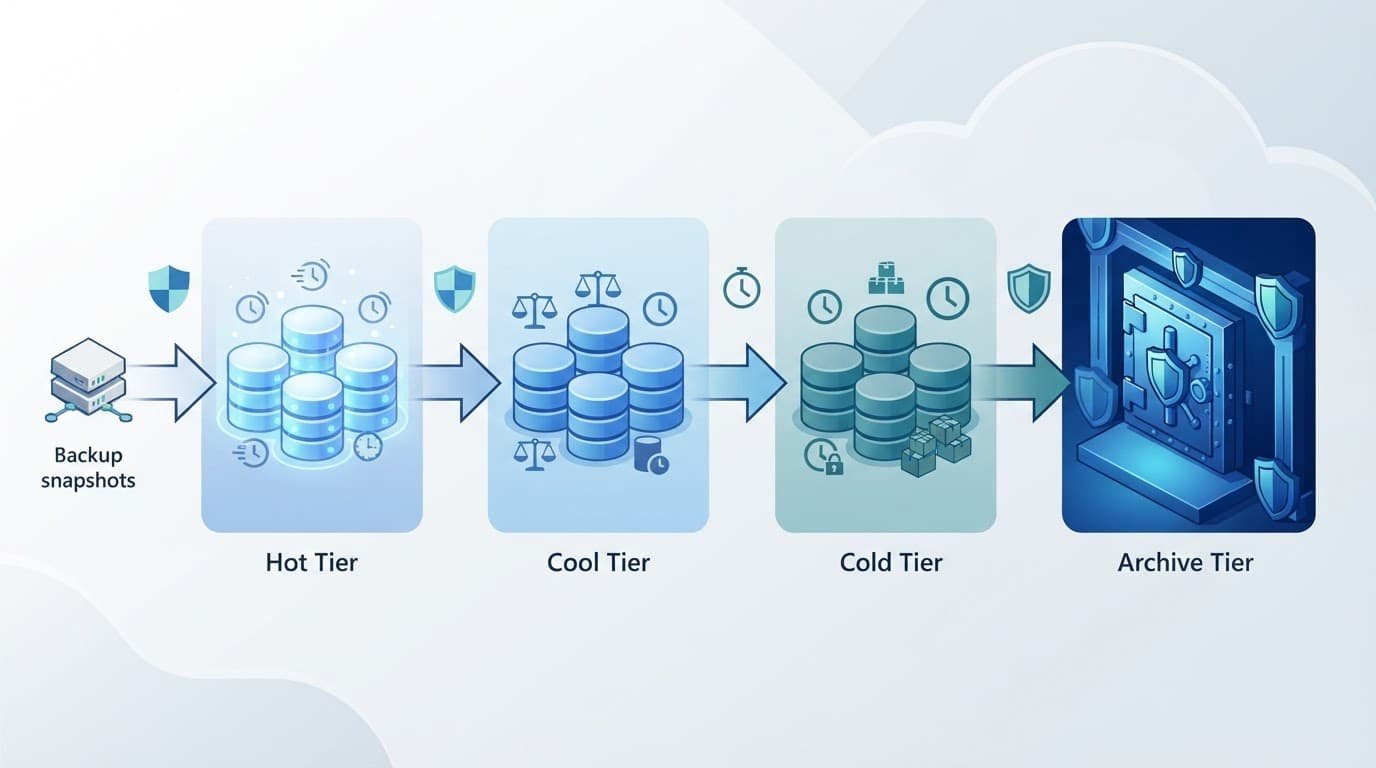
Hot and Cool support online backup recovery
The hot tier fits current restore points, frequently restored VM images, and frequently accessed database exports. Operations staff can access them without delay. Its monthly storage costs are higher, but retrieval is free in Microsoft’s published reference example.
The cool tier works when data stays online but sees less frequent access. Monthly or quarterly recovery points, completed projects, and backup copies kept for 30 days or longer fit this tier well. Cool blobs remain online, so applications can read them without archive rehydration. Retrieval and transaction charges apply, however, making broad restore tests more expensive.
Cold and Archive favor longer retention periods
The cold tier suits online data with rare access and a longer retention horizon. It may be preferable to Archive when a team needs data available for a planned, time-sensitive recovery. Microsoft applies a 90-day minimum retention period to Cold storage.
The archive tier has the lowest capacity cost, but it is offline. A blob must be rehydrated to an online tier before it can be read. Microsoft states that rehydration can take up to 15 hours, depending on the selected priority and workload conditions. Archive works for compliance copies, closed financial records, and backup sets with recovery objectives measured in hours rather than minutes.
The Azure access-tier documentation lists minimum retention periods of 30 days for Cool, 90 days for Cold, and 180 days for Archive. These commitments should align with the retention schedule and documented recovery-time objective before any lifecycle rule moves data.
Choose redundancy based on the recovery design
Redundancy options affect both monthly storage costs and the failure scenarios a backup can withstand. Choose them based on the disaster-recovery plan, not a default policy for every backup dataset.
LRS and ZRS protect different local failures
Locally redundant storage, or LRS, keeps multiple copies within a single Azure datacenter. It’s often the starting point when an independent backup copy already exists elsewhere or in another cloud account.
Zone-redundant storage, or ZRS, distributes copies across availability zones in the primary region. It costs more than LRS because it protects against a zonal failure. For a production backup repository that must remain available during a local infrastructure incident, that premium can be justified.
Set the calculator to East US, USD, and either LRS or ZRS for each storage account. Don’t apply a multiplier from a different region, because prices vary by geography and tier.
GRS adds a secondary-region copy, not a recovery point
Geo-redundant storage, or GRS, replicates data asynchronously to a paired secondary region. It can support a regional continuity strategy, though teams must account for replication delays and the operational steps needed to use the secondary copy.
Geographic replication can copy accidental deletion and corruption as well as healthy data. Backup recovery still depends on retention, immutability, and tested restore points.
GRS makes sense when the Blob account itself is part of the regional recovery design. If a backup platform already creates an isolated copy in another region or provider, paying for GRS on every retained archive can duplicate protection without improving the recovery plan.
Overlooked charges that cause backup estimates to miss
Capacity projections often omit how blobs are stored and retrieved. Those mechanics matter most in Cold and Archive, where object count and request patterns can add transaction costs.
Small blobs can multiply billed capacity
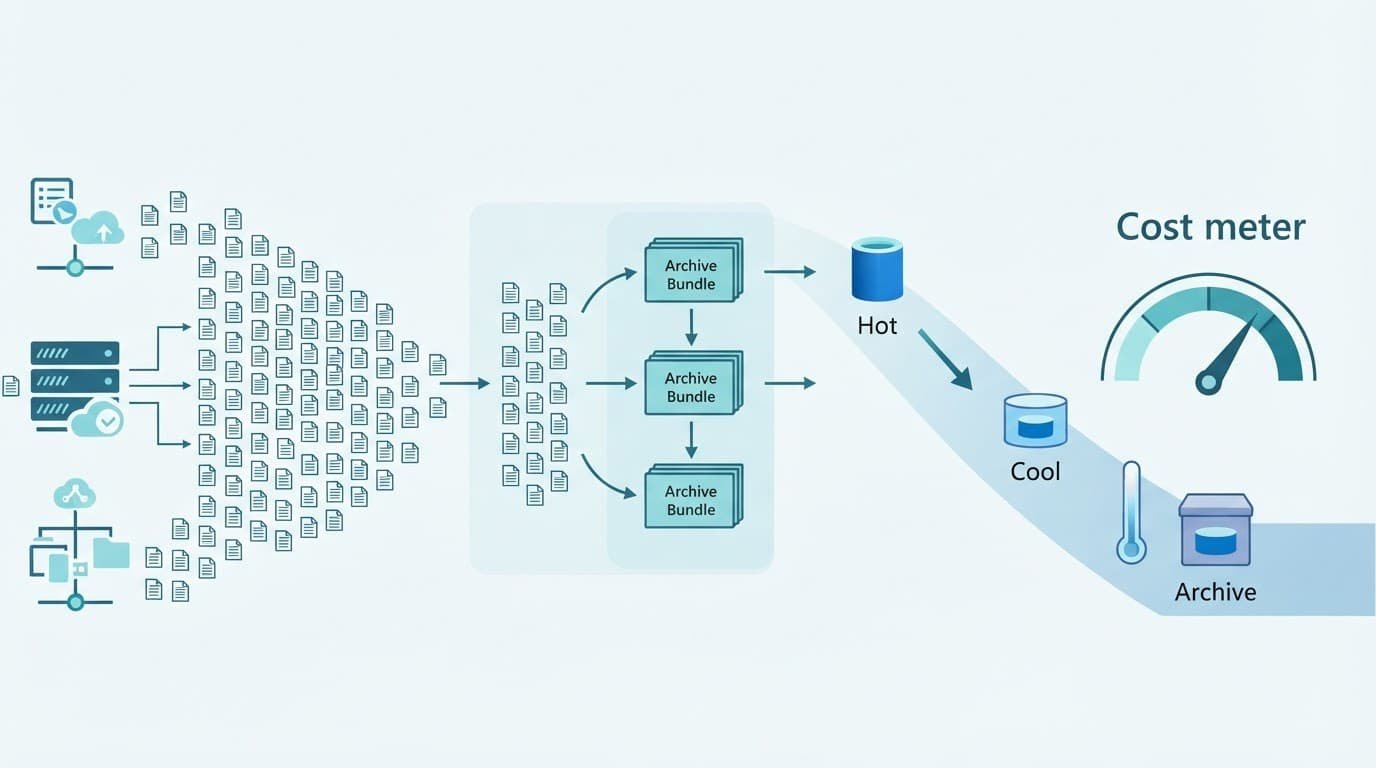
Cool, Cold, and Archive have a 128 KiB minimum billable object size for accounts subject to Microsoft’s 2026 rollout. A 16 KiB object stored in one of those tiers can therefore consume 128 KiB of billed capacity.
Consider a capacity-only calculation with 10 million 16 KiB files. Assumptions: the policy applies to the account, all regions, any redundancy option, and no currency because this is not a price quote. The physical payload is about 152.6 GiB. The billable size at 128 KiB per blob is about 1.19 TiB, or eight times larger.
Bundle small logs, telemetry fragments, and document images into larger objects before tiering them. For cost optimization, use compressed archives or partitioned Parquet files for data lake storage workloads, reducing billed capacity and request volume. Keep a manifest so a restore does not require downloading an entire multi-gigabyte bundle for one file.
Requests, retrieval, and transfer can outweigh storage
Every backup ingest creates write operations, so the price of write operations should be modeled separately from capacity. A recovery may generate reads, listings, copies, retrieval, rehydration, and outbound movement. High-frequency jobs that scan containers or write millions of small blobs should model requests separately from capacity.
Archive restores need special attention. Microsoft charges for data retrieval, and rehydration itself has related operations. Cross-region movement also costs money. Microsoft’s archive estimation example uses $0.02 per GB for internal data transfer between North American regions. Assumptions: North American inter-region traffic, US dollars, and a source example where redundancy does not change that bandwidth line item.
Internet egress has separate pricing. A recovery to an on-premises datacenter or another cloud can become the largest restore charge. Use Microsoft’s archive cost-estimation guidance to model the complete recovery path, not only the rehydration request.
Build a workload model before selecting a tier
A credible forecast starts with retention cohorts. One blended storage number hides the data that will create the next budget surprise.
Separate active recovery points from long retention
Use this planning model for a backup estate. Assumptions: East US region, LRS redundancy, US-dollar billing, and pay-as-you-go pricing. Rates must come from the live calculator at approval time.
- Keep 20 TiB of current restore points in Hot for 30 days when operational recovery needs immediate online access.
- Retain 60 TiB in the cool tier for 90 days when monthly restores are plausible but infrequent.
- Move 120 TiB of long-term copies to the archive tier for seven years when the documented recovery-time objective permits rehydration.
- Add the expected data retrieved during recovery tests, plus a realistic full-restore event rather than assuming zero retrieval.
Then adjust for actual stored capacity, object-size inflation, daily change rate, retained versions, and immutable copies. A small increase in retained versions can raise monthly storage costs more than a simple tier change.
Workloads requiring mounted file-share semantics should model azure files separately, rather than mixing those bytes into the Blob forecast.
Use reservations only for stable capacity
Azure Storage reserved capacity can reduce capacity costs for predictable, eligible usage. Microsoft sells reservations in 100 TiB and 1 PiB monthly units for one-year or three-year terms, as described in its reserved-capacity documentation.
Microsoft’s published 100-TB example shows these reservation amounts. Assumptions: US dollars and 100 TB. The source example doesn’t identify region or redundancy, so it is a reservation illustration, not an East US LRS procurement quote.
| Term | Hot | Cool | Archive |
|---|---|---|---|
| One year | $1,747 | $966 | $183 |
| Three years | $1,406 | $872 | $168 |
The cited example lists Cold as unavailable for reservation. These reserved capacity commitments apply to eligible storage capacity, not every request, retrieval, transfer, or early-deletion charge. Buy them only after retention growth has stabilized and the account’s tier mix is unlikely to change.
Use lifecycle policies without creating deletion penalties
Lifecycle management moves data between tiers based on rules instead of manual cleanup. It is useful for predictable backup aging, but every transition needs a retention check.
Set rules around the minimum-duration clock
Azure lifecycle policies can tier base blobs, versions, and snapshots based on age or access conditions. Microsoft’s lifecycle management overview explains the available rule actions.
A rule that moves a blob to Archive and deletes it after 45 days triggers an early deletion penalty. The charge covers the remaining 135 days of the 180-day Archive minimum. The actual fee depends on the applicable regional Archive storage rate and varies by region and redundancy option.
Build a transition map for each backup class. For example, a 30-day Hot period followed by 90 days in the cool tier and then several years in the archive tier respects each tier’s minimum duration. A daily backup job shouldn’t override those age thresholds through cleanup scripts.
Test recovery before approving an archive policy
A recovery-time objective is a cost input. If an application must restore within four hours, don’t select Archive when rehydration delays could breach that requirement. Cold or Cool may cost more per month but avoid a delayed incident response.
Schedule restore drills that include data selection, rehydration, download, validation, and application recovery. Measure the data volume and operations each drill creates. Also test scenarios where immutable retention, legal holds, blob versioning, or soft delete keeps data billable longer than the backup catalog indicates.
Compare Azure with Amazon S3 on equivalent behavior
Azure Blob Storage and Amazon S3 both charge through a mix of capacity, requests, retrieval, and data movement. A fair comparison maps recovery behavior before comparing storage rates. The same parity rule applies to data lake storage when comparing Azure and S3-compatible architectures.
For long-term backup, Azure Archive is closer to Amazon S3 Glacier classes than to standard online object storage. AWS describes S3 Glacier Flexible Retrieval as an archive option with retrieval choices ranging from one minute to 12 hours. Review the current Amazon S3 pricing schedule using the same physical geography and currency as the Azure quote.
Use East US for Azure and the closest AWS region, usually US East (N. Virginia), only after confirming data residency and latency requirements. Compare LRS or ZRS against the AWS durability and replication design you would actually buy. Match object count, monthly writes, restore volume, retention, restore destination, geographic route, data transfer, and egress assumptions across both models. Azure Files is a file-share service, not an equivalent object-storage comparison point.
Cost-estimation checklist before deployment
A pricing calculator is only as reliable as the workload data entered into it. Validate these items with backup owners, operations teams, and finance before deploying a new repository.
- Select the exact Azure region, currency, storage account type, and LRS, ZRS, or GRS setting in the calculator. Confirm that the workload belongs in Blob Storage rather than azure files.
- Inventory stored bytes, average blob size, object count, compression ratio, daily change rate, versions, snapshots, soft-deleted data, and immutable copies.
- Split data into retention cohorts with a documented recovery-time objective for each one. Don’t place a workload in Archive if its restore deadline is shorter than rehydration can support.
- Estimate monthly transaction costs from writes, reads, lists, copies, deletes, tier changes, backup indexing, and catalog scans. Include these operations, not only payload ingestion.
- Model planned restore drills and a full incident recovery. Include retrieval, rehydration, cross-region traffic, and egress to the final restore destination.
- Review lifecycle rules against the 30-day Cool, 90-day Cold, and 180-day Archive minimum periods. Record where an early deletion charge could occur.
- Run a small production pilot, tag the storage account, and compare the first invoice with the forecast. Evaluate reserved capacity only after retention growth and the tier mix stabilize. Update the model before making a large commitment.
Frequently Asked Questions
How is Azure Blob pricing calculated for backup?
Azure Blob pricing is based on stored capacity, redundancy, transactions, data retrieval, data transfer, and early-deletion charges. A reliable estimate also includes versions, snapshots, soft-deleted blobs, immutable copies, and the physical size after compression and deduplication.
Which Azure Blob access tier is best for backup data?
Hot fits frequently accessed restore points, while Cool suits online backups with less frequent recovery. Cold and Archive can reduce capacity costs for longer retention, but Cold has a 90-day minimum and Archive has a 180-day minimum plus rehydration time before the data can be read.
What Azure Blob backup charges are commonly overlooked?
Small objects in Cool, Cold, and Archive can be billed at a 128 KiB minimum size under Microsoft’s 2026 rollout. Request charges, retrieval, rehydration, cross-region transfer, and internet egress can also make a restore much more expensive than the monthly capacity estimate.
How can I create an accurate Azure Blob backup estimate?
Use the Azure Pricing Calculator with the exact region, currency, tier, redundancy setting, object count, retention cohorts, transaction volume, and expected restore traffic. Validate the forecast with a production pilot and a complete restore drill before committing to lifecycle policies or reserved capacity.
Final cost decision
The lowest Azure Blob storage rate rarely produces the lowest backup cost by itself. Azure Blob pricing works best when the access tier, redundancy model, object design, and restore behavior match operational reality.
A current East US estimate needs live regional rates, real transaction counts, and a tested restore path. That discipline turns Blob Storage from a cheap-looking archive into a backup service with predictable costs.

