Mail flow breaks quietly. First an invoice lands in junk, then a partner relay starts bypassing controls, then nobody remembers who changed the rule.
That’s why Exchange Online mail flow needs a repeatable audit, not a once-a-year cleanup. In 2026, stricter authentication checks, stale transport rules, and policy drift can turn small gaps into delivery or spoofing problems fast.
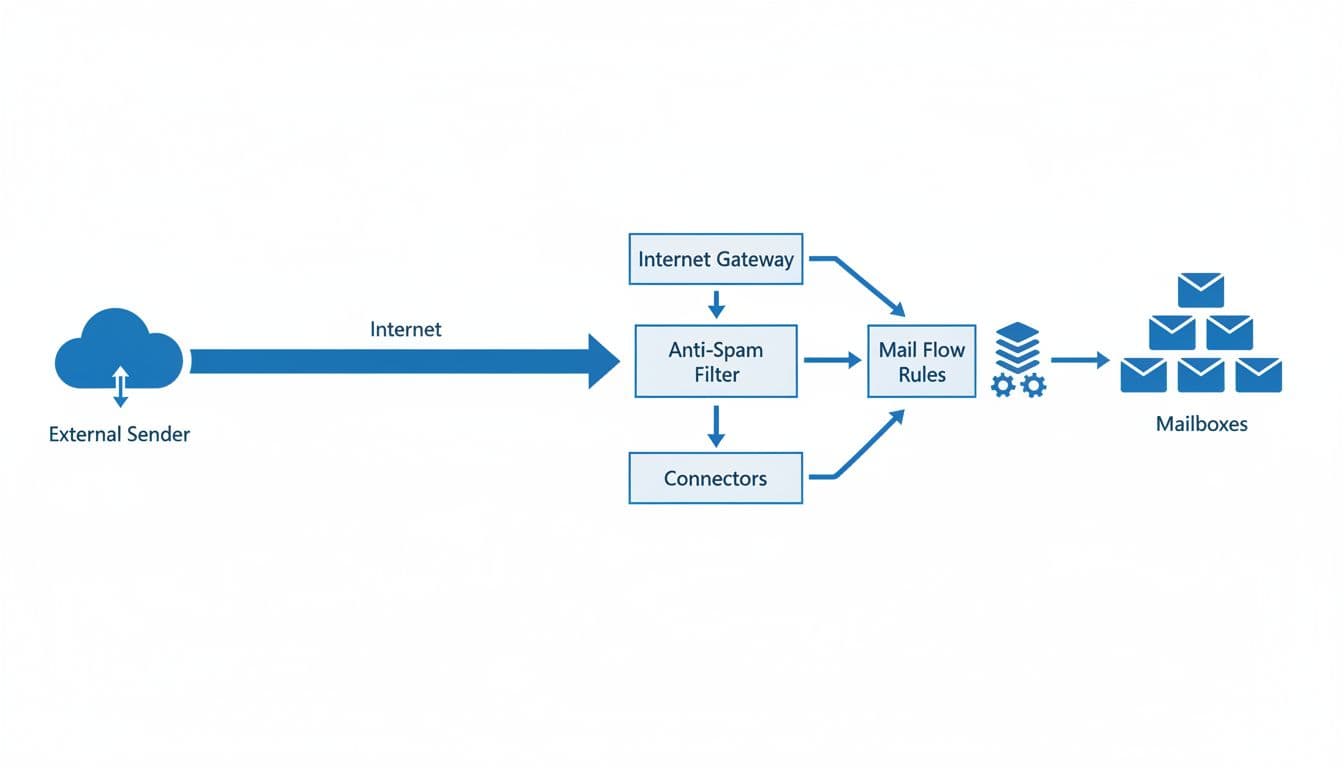
Start with the real message path, then test every place where mail can be trusted, redirected, or blocked.
Start with the real mail path, not the rule list
Before opening Exchange Admin Center, map how mail enters, leaves, and moves inside the tenant. Include third-party gateways, hybrid hops, SaaS senders, scanners, multifunction devices, and any app that sends as your domains. If that map is wrong, the audit will be wrong too.
Next, review both Exchange Admin Center and the Microsoft 365 admin center. In practice, you’re looking for the same thing in two places: drift between what the tenant should do and what it does today. Accepted domains, connectors, remote routing, and senders that rely on exceptions all belong in scope.
A quick audit matrix keeps the review honest.
| Audit area | Where to check | Red flags |
|---|---|---|
| Rules | Exchange Admin Center, Mail flow, Rules | Disabled legacy rules, broad exceptions, bad rule order |
| Connectors | Exchange Admin Center, Mail flow, Connectors | Open trust, loose IP scope, weak TLS assumptions |
| Domains | Microsoft 365 admin center, Domains | Stale sender domains, wrong DNS, relay confusion |
| Security policies | Defender for Office 365 policies | Bypasses for VIPs, duplicate policies, weak outbound controls |
| Logs and traces | Message trace, Unified Audit Log | No baseline, no change review, missing evidence |
This table helps you spot weak points before you get lost in individual settings.
Capture the current state before changing anything:
- Export the rule set and keep the current rule order.
- Save connector settings, certificate details, and allowed source ranges.
- Pull 7 to 30 days of message trace samples for key apps and partner flows.
- List every domain that sends mail as your brand, not only the primary domain.
Audit rules and connectors where mail gets changed
Most Exchange Online mail flow problems live in the middle. A connector trusts the wrong sender, a transport rule matches too broadly, or a later rule never runs because an earlier one stops processing.
Use Exchange Admin Center to review inbound and outbound rules separately. Check rule order, exceptions, header matches, regex patterns, redirects, added disclaimers, and any action that bypasses filtering. Microsoft’s own rule configuration guidance is still the best reference for testing interactions and avoiding unintended matches.
In the modern EAC, new rules start disabled, which is safer. Still, teams often forget to validate with test messages before turning them on. Also remember there’s no friendly undo for a bad transport change, so exports and change control matter.
Connectors deserve the same scrutiny. Confirm each partner connector limits trust by IP or certificate, uses the right TLS behavior, and doesn’t create a side door around Defender scanning. A connector that accepts mail from a wide source range is an incident waiting for a reason.
Watch for these red flags:
- Rules that redirect or blind-copy mail externally without a current ticket or owner.
- Broad sender or domain exceptions that skip anti-spam or anti-phish checks.
- Legacy DLP-style rules left behind after migration to Purview.
- Rules tied to old Viva Engage domains that may need updates before July 2026.
If a transport rule still carries retired DLP logic, move that control to Purview DLP and remove the dead rule.
Finally, review change history, not only the live config. A missed edit can break delivery faster than a malware campaign. Build a regular review around transport rule change reporting so rule drift doesn’t hide between audits.
Check authentication and Defender controls together
Mail authentication can’t be a separate workstream anymore. In 2026, Outlook, Hotmail, and Microsoft 365 treat weak or missing SPF, DKIM, and DMARC far less kindly, so misalignment now shows up as junking, rejection, or spoof exposure.
Review every sending domain and subdomain. That includes marketing tools, ticket systems, billing platforms, and copier relays. In the Microsoft 365 admin center, confirm domains, MX, and SPF records match real senders. Then in Defender, verify DKIM is enabled for each active sending domain and DMARC policy is moving toward quarantine or reject when your reporting data supports it.

After that, review anti-phish, anti-spam, spoof intelligence, Safe Links, Safe Attachments, and outbound spam policies as one stack. Look for bypasses added for executives, shared mailboxes, line-of-business apps, or “temporary” partner exceptions that never expired.
Also compare outbound volume to your normal pattern. Current bulk limits remain unchanged, so spikes near user or tenant limits often point to abuse or a broken app, not healthy business mail. When you investigate delivery or abuse, pair the mail review with mailbox auditing in Exchange Online so admin and user actions don’t become guesswork.
Record findings by business impact, not by screenshot count
A clean audit report is short, blunt, and easy to assign. Rank findings by blast radius first. Mail outage paths and spoofing gaps go to the top. Dead rules, naming cleanup, and stale comments can wait.
Each finding should name the affected rule, connector, or domain, include proof from headers or message trace, state the business effect, assign an owner, and note rollback steps. If a fix touches production routing, add a validation test and a due date before closing the ticket.
Mail flow rarely fails all at once. It drifts until small exceptions become normal.
Put this audit on a set cadence, then rerun it after every new connector, new SaaS sender, or rule change that touches external mail. That’s how Exchange Online mail flow stays predictable, and how admin teams stay ahead of the next quiet failure.

