A mostly idle NVIDIA GPU can cost as much as one running a training job around the clock. Yet a GPU shared carelessly can turn every tenant’s workload into an unpredictable queue.
Kubernetes GPU scheduling gives platform teams allocation controls, but it doesn’t measure actual GPU work or create a billing system. MIG, time-slicing, quotas, telemetry, and admission policy must work together to control spend without breaking service expectations.
MIG provides hardware-backed partitioning, while time-slicing increases density without strong isolation. The right sharing method depends on whether the workload needs predictable isolation or can tolerate contention.
Key Takeaways
- Kubernetes GPU requests are integer allocation gates, not measures of physical GPU utilization, workload performance, or cost.
- MIG provides stronger memory and fault isolation with predictable resource profiles, while time-slicing increases density but allows contention between workloads.
- Separate whole-GPU, MIG, and shared-capacity node pools, then enforce placement and oversubscription rules with labels, quotas, and admission policy.
- Use DCGM Exporter and Prometheus to measure utilization, queueing, fragmentation, reliability, and productive GPU-hours rather than relying on advertised replicas.
- Validate GPU Operator configuration, device visibility, compatibility, contention behavior, and rollback procedures in a dedicated node pool before production rollout.
How Kubernetes exposes and allocates GPU resources
Kubernetes GPU scheduling begins when a vendor Device Plugin registers an extended resource with each node’s kubelet, usually nvidia.com/gpu. Accelerators aren’t exposed as native CPU or memory resources.
The NVIDIA k8s-device-plugin runs as a DaemonSet and reports available devices to Kubernetes. The scheduler performs pod scheduling from each node’s advertised capacity, not live workload conditions. During allocation, the kubelet requests device details for the selected pod from the plugin. At startup, the kubelet passes those details to the container runtime, which may use the Container Device Interface (CDI) for injection; check CDI details against the installed NVIDIA components.
Requests and limits are allocation gates, not utilization targets
For extended resources, resource limits act as integer allocation gates, not utilization targets. A pod asking for nvidia.com/gpu: 1 receives one allocatable unit. The kubelet accounts for that unit, but neither the kubelet nor the plugin inspects GPU memory pressure, SM activity, batch size, or network wait time.
A basic workload specification might include:
resources.limits.nvidia.com/gpu: 1nodeSelector.nvidia.com/gpu.present: "true"runtimeClassName: nvidiawhen the cluster requires an NVIDIA runtime class
The standard nvidia.com/gpu: 1 request is one allocatable unit, not a fractional physical GPU. A node selector can target GPU-capable nodes without changing that allocation model.
The pod can’t request half a standard GPU through the normal device-plugin path. That limitation pushes teams toward MIG profiles, time-sliced replicas, or a broader scheduling layer.
Labels keep GPU jobs off the wrong nodes
Use Node Feature Discovery or GPU Operator labels to target compatible hardware. A mixed fleet may contain A100 nodes configured for MIG, older nodes reserved for time-sliced inference, and whole-GPU nodes for distributed training.
Use a node selector for broad hardware filtering. Use node affinity when a workload requires a specific MIG profile or GPU architecture. Avoid loose selectors such as gpu=true when a workload depends on 80 GB memory or a particular compute capability.
Kubernetes sees allocatable devices. It does not know whether an assigned GPU is busy, memory-bound, idle, or delivering acceptable latency.
Kubernetes GPU scheduling: choose MIG or shared GPU capacity
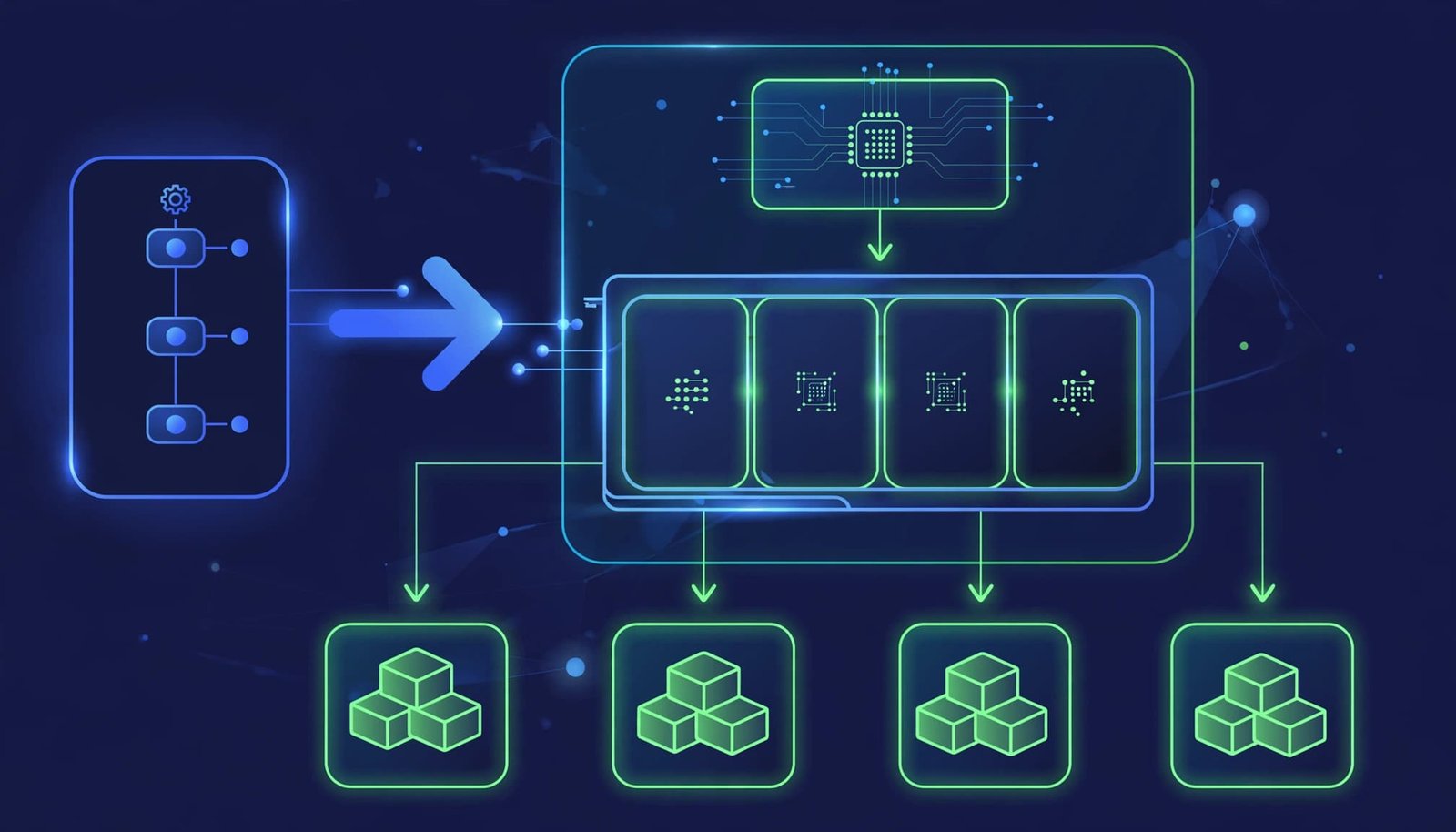
MIG and time-slicing address the same waste problem through different mechanisms. One divides hardware into fixed instances, while the other advertises logical shares of one physical device.
Time-slicing raises density, but shares the fault domain
NVIDIA Multi-Instance GPU, or MIG, partitions a compatible GPU into GPU instances with dedicated memory and compute resources. MIG is supported on compatible NVIDIA GPU hardware from the Ampere generation onward, including A100-class devices.
Each MIG profile has a defined resource shape. A small inference service might fit a 1g profile, while a larger model needs more memory and compute. Kubernetes can advertise these as profile-specific extended resources, allowing workloads to request the partition they need.
MIG has memory and fault isolation between instances. It’s the stronger option for multi-tenant inference, regulated tenants, memory-sensitive services, and workloads with stable latency targets. It also reduces fragmentation only when profile choices match real demand.
Time-slicing raises density, but shares the fault domain
For bursty notebooks, low-duty-cycle inference, CI validation, and development environments, time-slicing is often a good fit. Several pods can request logical GPU replicas on one physical GPU, and CUDA workloads take turns.
However, all replicas share GPU memory, reset domains, and fault domains. That isn’t strong isolation, and noisy neighbors can create unpredictable latency. A memory-hungry process may trigger CUDA out-of-memory failures or disrupt neighbors, even when the scheduler sees separate logical resources. NVIDIA’s GPU sharing documentation describes this oversubscription model and distinguishes it from isolated instances.
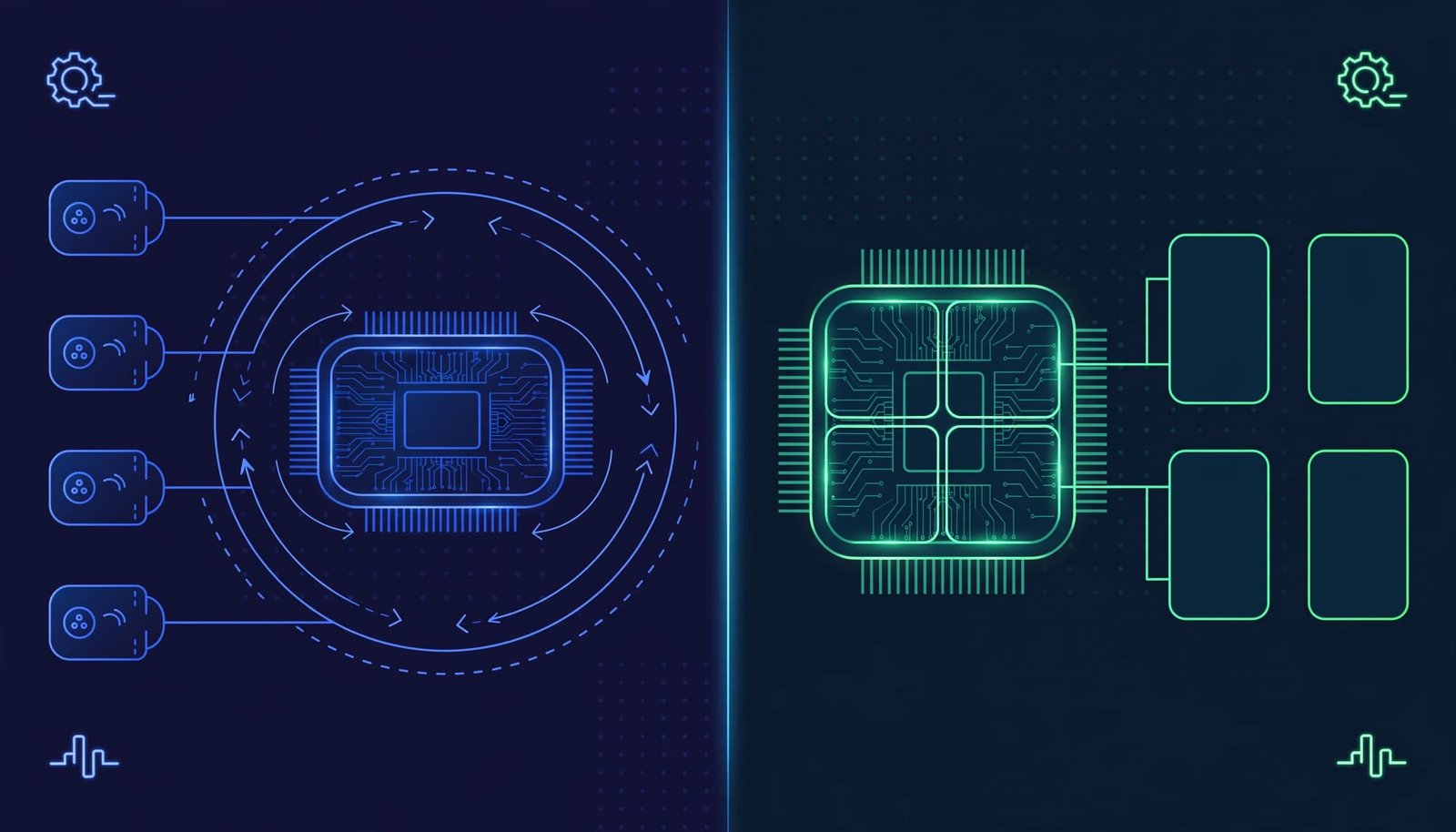
The comparison below summarizes when to use time-slicing:
| Requirement | Prefer MIG | Prefer time-slicing |
|---|---|---|
| Memory isolation | Yes | No |
| Fault isolation | Yes | No |
| Bursty, low-use jobs | Sometimes | Yes |
| Stable latency targets | Yes | Rarely |
| Regulated tenants | Yes | No |
| Memory-sensitive services | Yes | No |
| Older non-MIG GPUs | No | Yes |
| Maximum pod density | Limited by profiles | Higher, with contention |
Choose MIG for stable latency, regulated tenants, memory-sensitive services, or stronger tenant isolation. Reserve shared logical capacity for bursty notebooks, CI, development, and best-effort inference. Use dedicated GPUs for distributed training or strict SLOs.
A MIG instance can also be shared with time-slicing. This increases density but weakens the isolation benefit within that shared instance. Treat it as a development or best-effort option unless testing proves otherwise.
Configure the GPU Operator with explicit guardrails
The GPU Operator installs and manages the NVIDIA GPU stack, including its driver, container toolkit components, device plugin, DCGM Exporter, and related node services. The GPU driver, toolkit, plugin, and runtime versions must remain compatible, while the kubelet and container runtime expose devices through the Container Device Interface. These controls reduce manual drift, but defaults don’t define a tenant policy.
Before enabling sharing, separate each node pool by purpose. Keep whole-GPU training nodes apart from time-slicing inference nodes, and isolate MIG nodes from shared-capacity pools with labels. Dedicate MIG nodes to a small approved set of profiles rather than changing layouts frequently.
An illustrative shared-capacity configuration
The device-plugin configuration object is a config map (Kubernetes ConfigMap) that defines sharing behavior, and the following time-slicing data belongs in that config map. Adapt replica counts after measuring memory use, kernel duration, and tail latency.
version: v1sharing:timeSlicing:renameByDefault: truefailRequestsGreaterThanOne: trueresources:- name: nvidia.com/gpureplicas: 4
With renameByDefault: true, the plugin advertises a shared resource such as nvidia.com/gpu.shared. This keeps whole-GPU workloads from landing on a shared node by accident. failRequestsGreaterThanOne: true rejects a pod that requests multiple shared replicas, since two replicas don’t create two isolated GPUs.
Reference it through the Operator’s device-plugin configuration, for example with the Helm value devicePlugin.config.name=shared-gpu-config. The exact configuration key and Helm value can vary by release, so validate them against official NVIDIA documentation. For node-specific configurations, use labels and a node selector to select the config map for each node pool.
Set policy before users can oversubscribe
A replica count of eight may look efficient in the scheduler, yet time-slicing can create unusable latency for a single overloaded GPU. Start with two to four replicas for short inference jobs. Raise the value only after observing GPU duty cycle and request latency under concurrent load.
Set a namespace ResourceQuota for shared GPU resources, plus LimitRange defaults where appropriate. These resource limits constrain advertised shared capacity, but they don’t guarantee physical GPU time or latency. Use admission checks as a cluster policy to reject time-slicing resources for production training namespaces, keeping experiments from becoming unbounded shared-capacity pools. Quotas and admission controls are cost guardrails, not performance guarantees.
A practical GPU Operator deployment guide is useful when reviewing the operator components that must stay aligned across GPU nodes.
Place work by service class, not GPU count alone
A GPU resource request is only one scheduling signal. Platform teams need workload classes that reflect business impact, execution shape, and isolation needs.
Reserve whole GPUs for long-running training
Distributed training usually needs stable bandwidth, predictable device memory, and coordinated startup. Place these jobs on whole GPUs or suitably sized MIG instances. Use separate pools for whole-GPU training, MIG workloads, and best-effort shared workloads. Align each node pool with one service class.
Use a priority class (Kubernetes PriorityClass) for approved training runs, but understand that preemption evicts pods based on priority. It can’t reclaim a GPU from a running process without disrupting that process. During contention, preemption may evict lower-priority pods, but it isn’t a cost-control substitute for capacity planning.
Gang scheduling tools can help when a job needs several GPUs at once. Without them, a distributed run can leave partial allocations stranded while it waits for its remaining workers.
Isolate tenants at more than the pod boundary
Namespaces and RBAC control API access, but that isn’t tenant isolation. They don’t isolate GPU memory or protect against shared fault domains and noisy neighbors when time-slicing is enabled. Use MIG for tenants requiring stronger tenant isolation, and separate hardware pools when different trust levels share a cluster.
A vCluster can give a tenant its own control plane and private Kubernetes view. However, a vCluster doesn’t control physical placement, GPU plugins, drivers, quotas, or node security. Tenant isolation therefore needs both control-plane boundaries and infrastructure policy.
For time-sliced tenants, cap replicas per namespace, prevent privileged pods, and define a clear incident policy for GPU resets. Shared hardware needs shared operational expectations.
Measure utilization, queueing, fragmentation, and cost
The scheduler’s assigned-replica count is an inventory number, not a measure of physical accelerator work. Kubernetes GPU scheduling needs physical telemetry and workload attribution for cost control.
Node allocation metadata from the kubelet doesn’t show physical accelerator work, so NVIDIA DCGM Exporter supplies metrics that Prometheus can collect. On non-MIG nodes, track physical activity, frame buffer memory use, power, temperature, and error signals. On MIG-enabled nodes, attribute data at the GPU-instance level where exporter support allows it.
Build a before-and-after scorecard
Record at least two weeks of baseline data before changing partition layouts or replica counts. Use Prometheus to compare like-for-like workloads, including GPU utilization, then measure these indicators after rollout:
- Utilization: median and p95 GPU utilization, GPU memory use, and time with no active kernels.
- Queueing: pending pod count, pending duration, job start delay, and time spent waiting for an acceptable GPU profile.
- Fragmentation: allocatable capacity that cannot satisfy queued requests, such as free small MIG slices when the queue needs larger profiles.
- Cost: node-hour spend, active GPU-hours, allocated GPU-hours, and cost per completed inference or training job.
- Reliability: pod restarts, CUDA out-of-memory failures, GPU Xid errors, and p95 or p99 inference latency.
For a simple internal rate, divide the GPU node’s hourly cost by productive physical GPU-hours, not advertised replicas. For MIG, assign rates by profile capacity and actual reservation time. For time-slicing, chargeback should use agreed reserved replica-hours plus a utilization or contention adjustment. Replica-hours alone can overstate productive capacity when shared replicas contend for one device.
Use metrics to reclaim waste carefully
Prometheus can identify low-utilization allocations, but automatic eviction is risky. A job may appear idle while loading checkpoints, waiting for input, or synchronizing distributed workers. Low readings can also reflect a memory-bound workload, and DCGM metrics may not perfectly attribute shared-device effects to one tenant.
Use alerts and owner reports first, flagging pods with low GPU utilization and high reservation age. Notify owners or move eligible best-effort jobs to a lower-cost pool. A scheduler plugin may support telemetry-driven placement or reclamation, separate from default Kubernetes scheduler behavior, with clear exemption rules and a tested rollback path.
The advanced device-plugin troubleshooting guidance is useful when node capacity, plugin configuration, and actual workload behavior disagree.
Validate the rollout before scaling it
Run validation in a dedicated node pool before changing a shared production fleet. Treat it as a release gate, not a placement check. Test steady inference and bursty requests before testing failure and contention paths.
A practical validation checklist
- Use
kubectl describe nodeto confirm the kubelet advertises expected whole-GPU, MIG, or shared resource names and quantities. - Verify the kubelet records pod-level device assignment.
- Confirm the test container receives expected visibility through the Container Device Interface. Check that the container runtime and
nvidia-smishow the intended MIG layout. - Verify GPU driver, toolkit, device plugin, and CUDA compatibility before workload tests.
- Capture the active device-plugin config map in a
ConfigMap. Validate field names, Helm values, Container Device Interface behavior, and resource names against documentation for the installed Kubernetes version, NVIDIA device-plugin, and operator. Don’t assume every release uses the same configuration. - Launch concurrent test workloads and measure tail latency, memory use, and error rates, not only pod placement.
- Test memory pressure, concurrent kernels, CUDA out-of-memory behavior, and intentional pod failure.
- Test GPU reset impact and noisy-neighbor effects while workloads run concurrently.
- Check Prometheus labels associate DCGM data with namespaces, pods, or workload owners.
- Test quota rejection for excess requests, and verify priority rules trigger preemption as intended during contention.
- Compare baseline and post-change productive GPU-hours, queue delay, failure rate, GPU utilization, and effective cost per workload.
- Apply the rollback config map in a disposable test, restore the prior device layout, and verify workloads recover.
Keep the saved GPU Operator configuration and prior node labels in a release-specific rollback manifest. Changing a MIG layout or time-slicing policy can require draining workloads and may temporarily reduce capacity. Treat it as a planned capacity change, not a harmless configuration edit.
Frequently Asked Questions
What does Kubernetes GPU scheduling actually allocate?
Kubernetes allocates extended resources reported by the vendor device plugin, such as nvidia.com/gpu, rather than measuring live GPU work. A request for one standard GPU is an allocation unit and does not represent a fractional physical GPU or a utilization target.
When should workloads use MIG instead of time-slicing?
Use MIG when memory isolation, fault isolation, stable latency, or stronger tenant separation matters. Use time-slicing for bursty, low-duty-cycle, development, CI, or best-effort workloads that can tolerate contention.
Does time-slicing isolate tenants?
No. Time-sliced replicas share GPU memory, reset domains, and fault domains, so noisy neighbors and memory pressure can affect other workloads. Treat shared capacity as a best-effort option unless testing proves that service expectations remain acceptable.
How can teams control GPU costs in Kubernetes?
Combine separate node pools, explicit resource and admission policies, namespace quotas, and workload-specific placement rules. Use DCGM and Prometheus telemetry to attribute productive GPU-hours, queueing, fragmentation, and cost per completed workload instead of charging only for replica-hours.
How should a GPU scheduling rollout be validated?
Test the configuration in a dedicated node pool, confirming resource names, device visibility, driver and toolkit compatibility, quotas, telemetry, contention behavior, and GPU reset impact. Save a release-specific rollback configuration and compare utilization, latency, failures, queue delay, and effective cost with the baseline before scaling out.
Final thoughts
Multi-Instance GPU (MIG) is preferable when predictable memory capacity, stronger tenant isolation, and stable latency matter. Dedicated GPUs remain the better choice for distributed training or workloads that can’t tolerate contention.
Time-slicing suits bursty or best-effort workloads only after testing oversubscription, memory behavior, noisy neighbors, observability, and reset impact. Effective Kubernetes GPU scheduling also requires quotas, node pools, telemetry, admission policy, and cost attribution alongside device allocation.

