Ransomware recovery in 2026 isn’t only about decrypting files. Attackers often steal data first, then pressure you with leak threats, DDoS, or customer harassment. Meanwhile, they go after the soft spots: identity systems, remote tools, and hypervisors.
A ransomware recovery runbook gives a small IT team a repeatable path under stress. It tells you what to do first, what not to touch, who decides, and how to restore safely without re-infecting everything.
Quick Start (print this page): first 60 minutes
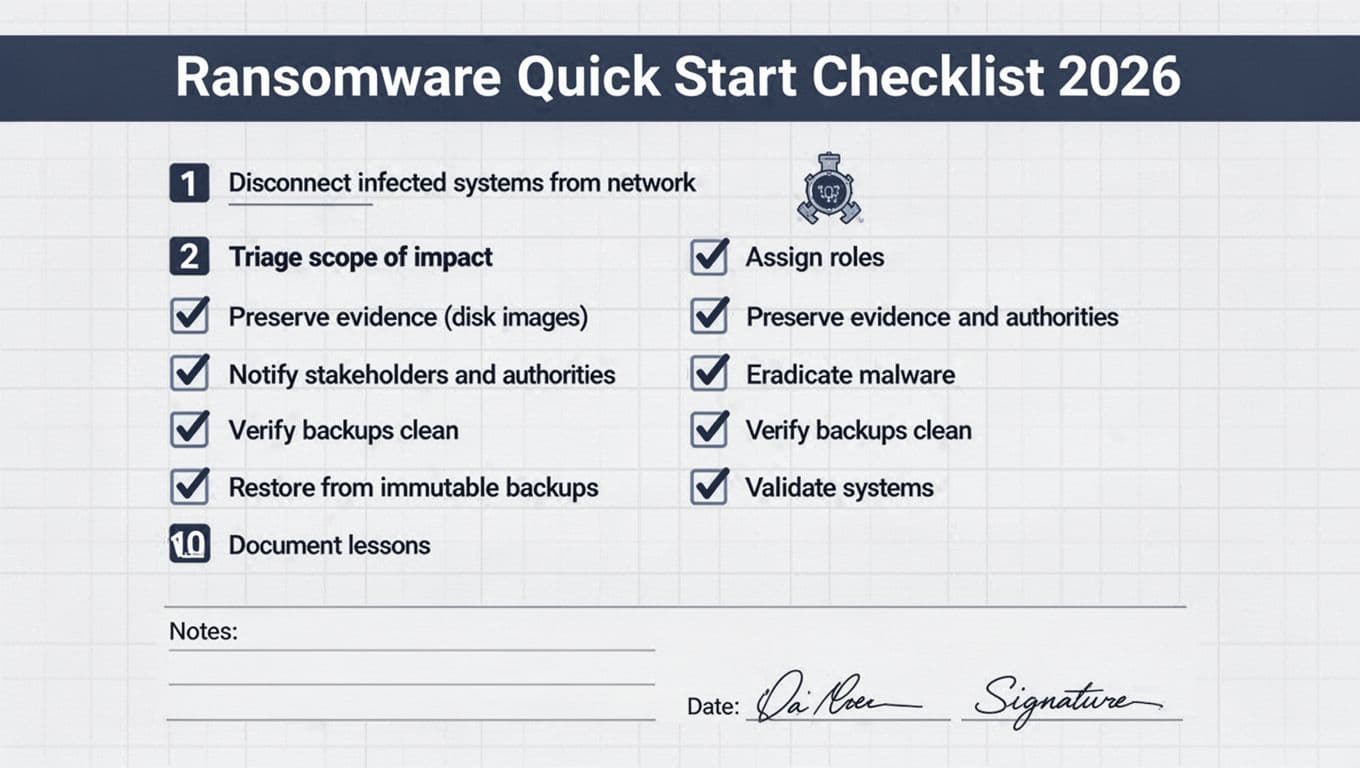
- Start an incident log (one person writes, everyone feeds facts).
- Isolate suspected systems (unplug network, disable Wi-Fi, pull VLAN port). Don’t power off yet.
- Stop spread paths fast: disable SMB admin shares where possible, block east-west traffic, pause risky automations.
- Freeze privileged access: disable suspect admin accounts, revoke active sessions, rotate break-glass creds if needed.
- Confirm the blast radius: endpoints, servers, hypervisors, identity, cloud tenants, backups, SaaS.
- Preserve evidence: collect volatile data, take disk snapshots/images where you can, save ransom notes and file samples.
- Don’t tip off the attacker: avoid mass password resets or noisy scans until containment is in place.
- Engage stakeholders: leadership, legal, insurance, and your MSP (if you use one).
- Decide restore strategy: clean rebuild vs. in-place fix, and which services come back first.
- Communicate on a safe channel (out-of-band chat/phone). Assume email may be watched.
Use government guidance as your baseline, then tailor it to your environment, see the CISA #StopRansomware guide.
If identity (AD/Entra/Okta) or hypervisors show signs of compromise, stop, limit changes, and bring in IR help. Restoring on a poisoned foundation wastes days.
Escalation triggers (stop and ask for help):
| Trigger | Why it matters | Who to call |
|---|---|---|
| Domain admin compromise suspected | Attacker can re-enter at will | IR retainer, identity specialist |
| Backup repo touched or deleted | Recovery may fail | Backup vendor support, IR |
| ESXi/Hyper-V management hit | Ransomware loves hypervisors | IR + virtualization expert |
Roles, communications, and evidence handling for 1 to 10 admins
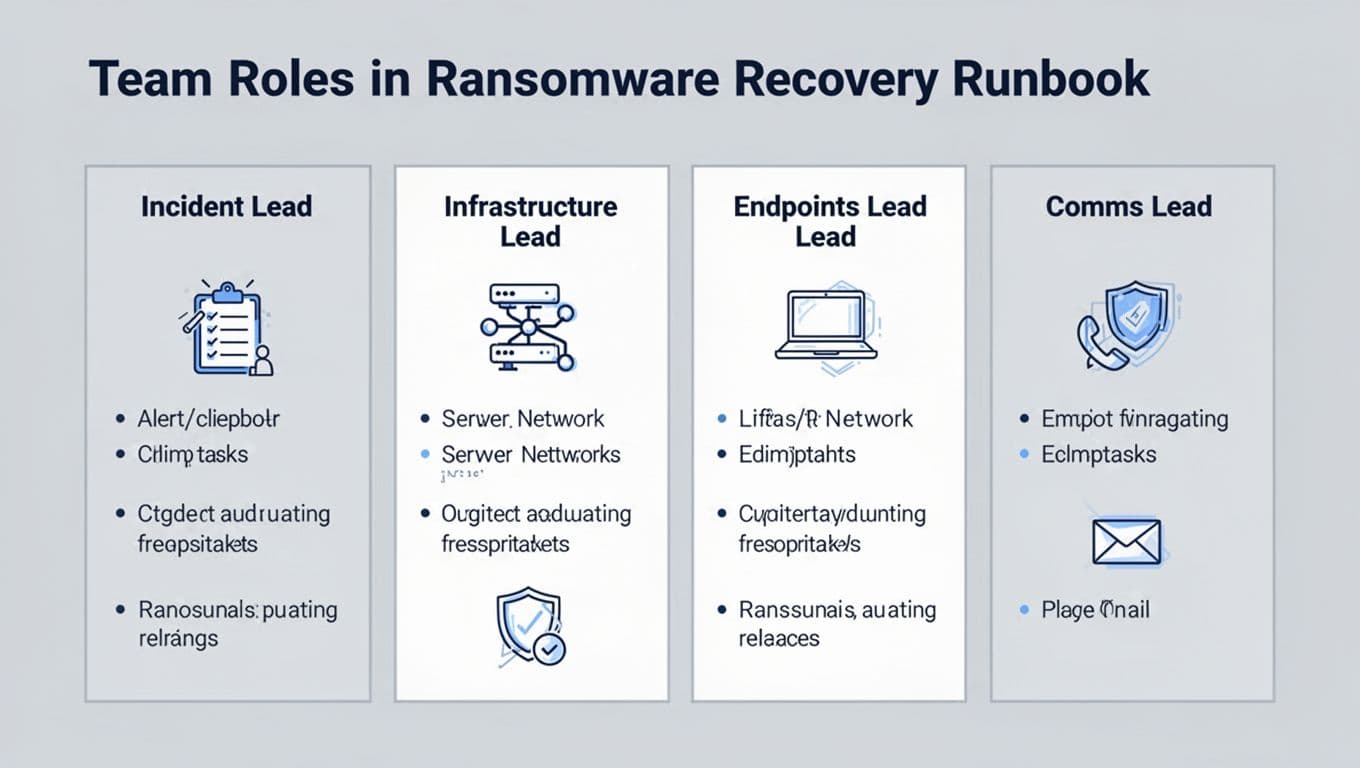
Small teams fail when everyone “helps” at once. Assign hats, even if one person wears two.
| Role | Owns decisions on | Core actions |
|---|---|---|
| Incident Lead | Scope, priorities, go/no-go | run calls, track tasks, approve restores |
| Infrastructure Lead | Network, servers, backups | segmentation, restore order, backup integrity |
| Endpoints Lead | Laptops, EDR, imaging | isolate, triage, rebuild, re-enroll devices |
| Comms and Stakeholder Lead | Updates, documentation | cadence, legal/insurance coordination, user guidance |
Comms cadence template (keep it boring and regular)
Set expectations early so leadership doesn’t force risky shortcuts. For broader basics, keep a bookmark to CISA cyber guidance for small businesses.
| Audience | Channel | Frequency (first day) | Message format |
|---|---|---|---|
| Exec team | phone or secure chat | every 60 to 90 minutes | impact, decisions needed, next milestone |
| All staff | SMS or alternate email | every 4 hours | what to do, what not to do |
| Customers (if needed) | PR-approved | as approved by legal | facts only, no speculation |
Incident log template (one source of truth)
| Time (local) | Who | What you observed | Action taken | Evidence saved |
|---|---|---|---|---|
Evidence and safety notes (non-negotiable): preserve logs, snapshots, and images; document every major change; and keep ransomware payment decisions with legal and insurance. Also, don’t run “cleanup tools” across the fleet until you’ve contained spread paths.
Staged recovery workflow (2026 threats and practical tooling)
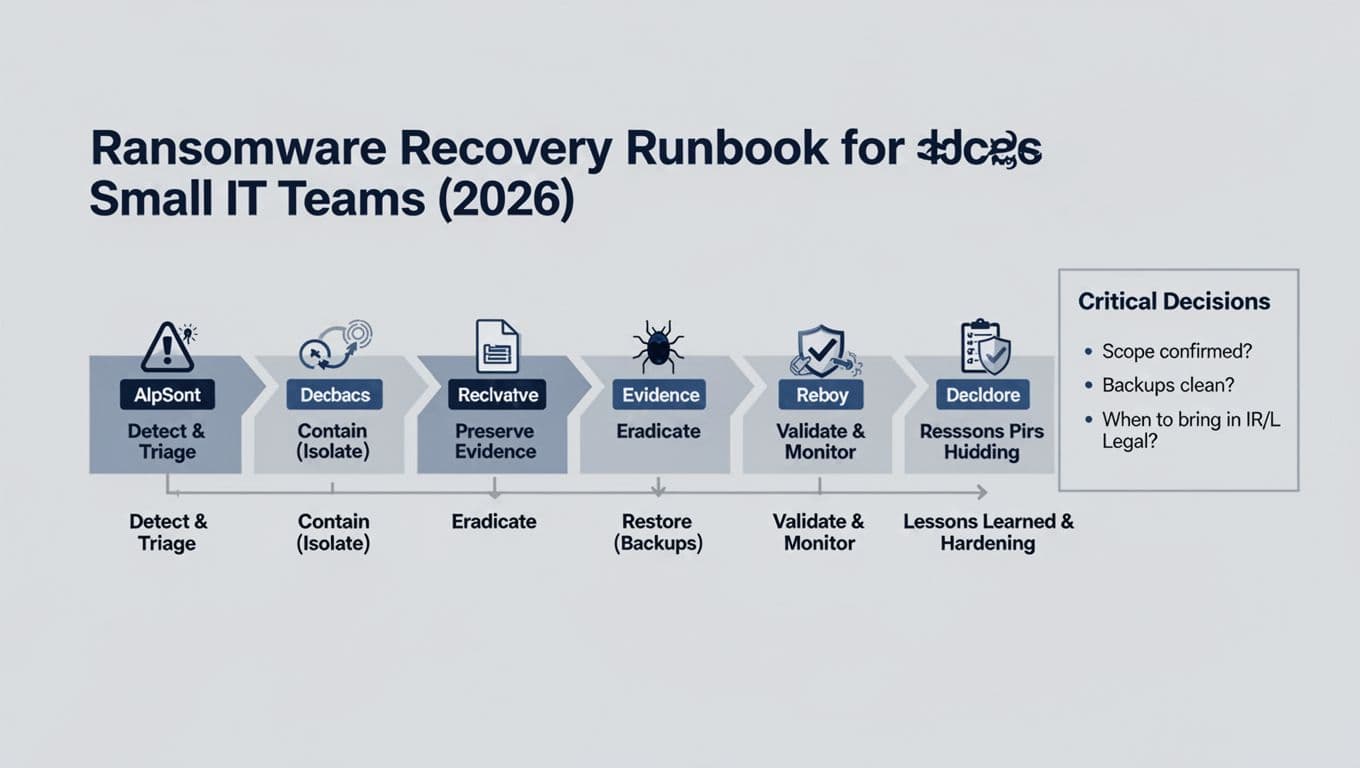
1) Detect and triage without burning the scene
Start with a fast picture: which identities logged in, from where, and what changed. In 2026, MFA fatigue and social engineering still work, so treat “approved” pushes as suspicious if timing looks wrong.
Tooling that helps: EDR (Microsoft Defender for Endpoint, CrowdStrike, SentinelOne), identity logs (Microsoft Entra ID, Okta), and SIEM (Microsoft Sentinel, Splunk). Don’t chase perfection. You need direction.
2) Contain using zero-trust thinking
Ransomware spreads like smoke through vents. Close the vents. Segment critical tiers (identity, hypervisors, backups, management networks) so a single foothold can’t reach everything. Microsegmentation and least privilege matter more than a bigger firewall, see a practical discussion in Zero Networks’ 2026 ransomware protection guide.
Containment moves that work for small teams:
- Disable compromised accounts, then block their tokens and sessions.
- Block lateral protocols where possible (SMB, WinRM, WMI) between user VLANs and servers.
- Pause remote management tools if you suspect a supply chain hit (common with MSP access).
3) Restore, but only from backups you can trust
In 2026, backups must survive an attacker who knows your environment. Use immutable backups (object lock, immutability flags, or WORM storage) and separate backup admin identities. If you want a deeper view of recovery patterns and pitfalls, review Veeam’s ransomware recovery guidance.
Bring systems back in stages:
- Identity first (AD/Entra/Okta), because every other restore depends on it.
- Core services (DNS, DHCP, NTP, certificate services, monitoring).
- Virtualization and storage (ESXi/Hyper-V, vCenter equivalents). Attackers target these to maximize damage.
- Business apps (ERP, file shares, email), then user endpoints last.
Restoration validation checklist (use for every system)
| Check | Pass criteria | Evidence to capture |
|---|---|---|
| Golden image used | rebuilt from known-good media | build ID, hash, change ticket |
| Accounts cleaned | no unknown admins, MFA enforced | admin list snapshot |
| Persistence removed | no rogue scheduled tasks/services | screenshots, command output |
| Data integrity | app works, data matches pre-incident checks | app sign-off, sample queries |
| Monitoring live | alerts flowing, logs retained | SIEM/EDR confirmation |
Post-incident retro agenda (90 minutes)
| Timebox | Topic | Output |
|---|---|---|
| 10 min | Timeline recap | final incident timeline |
| 20 min | Entry point | root cause and control gap |
| 20 min | What slowed recovery | top 3 blockers, owners |
| 20 min | Hardening plan | segmentation, least privilege, MFA policy |
| 20 min | Backup and restore fixes | immutability, testing schedule |
End the retro with one rule: any control you didn’t test doesn’t count.
Conclusion
A small team can beat ransomware, but only with a clear ransomware recovery runbook and staged recovery. Isolate fast, protect identity and backups, then rebuild in a safe order. Keep evidence, keep notes, and keep updates steady so leadership doesn’t force risky moves. Print the quick start page now, then run a tabletop test before the next alert hits.

