Surprise true-ups rarely come from one big mistake. They come from a dozen small ones, a host added during an outage, a DR test that quietly doubled footprint, or a feature toggle nobody logged.
In 2026, VMware licensing is less forgiving because the model shifted hard toward subscriptions, bundles, and core-based counting. That affects IT, procurement, and finance at the same time.
This guide explains what changed, what auditors usually validate for vSphere, vSAN, and NSX, and how to build an Effective License Position (ELP) that holds up month after month.
What changed in VMware by Broadcom licensing by 2026
The big change is structural: Broadcom moved VMware’s core products to subscription-first (often subscription-only) commercial terms for most customers. That means your right to use, upgrade, and get support is tied to an active term, not a perpetual entitlement sitting on a shelf.
Counting also shifted toward physical cores. In practice, that forces teams to track server CPU core counts with the same rigor they track VM sprawl. Broadcom’s current rules widely discussed in the market include selling core capacity in 32-core packs, applying a 16-core per CPU minimum, and enforcing minimum purchase sizes for some offers.
Packaging tightened, too. Many renewals now steer customers into suites, where vSphere, vSAN, and NSX show up as a single subscription line item, even if you only “need” part of it. For a concrete example of how solution licensing is described, Broadcom’s documentation on vSphere Foundation solution licensing is a useful reference point (verify your own order form terms, because details vary by offer and date).
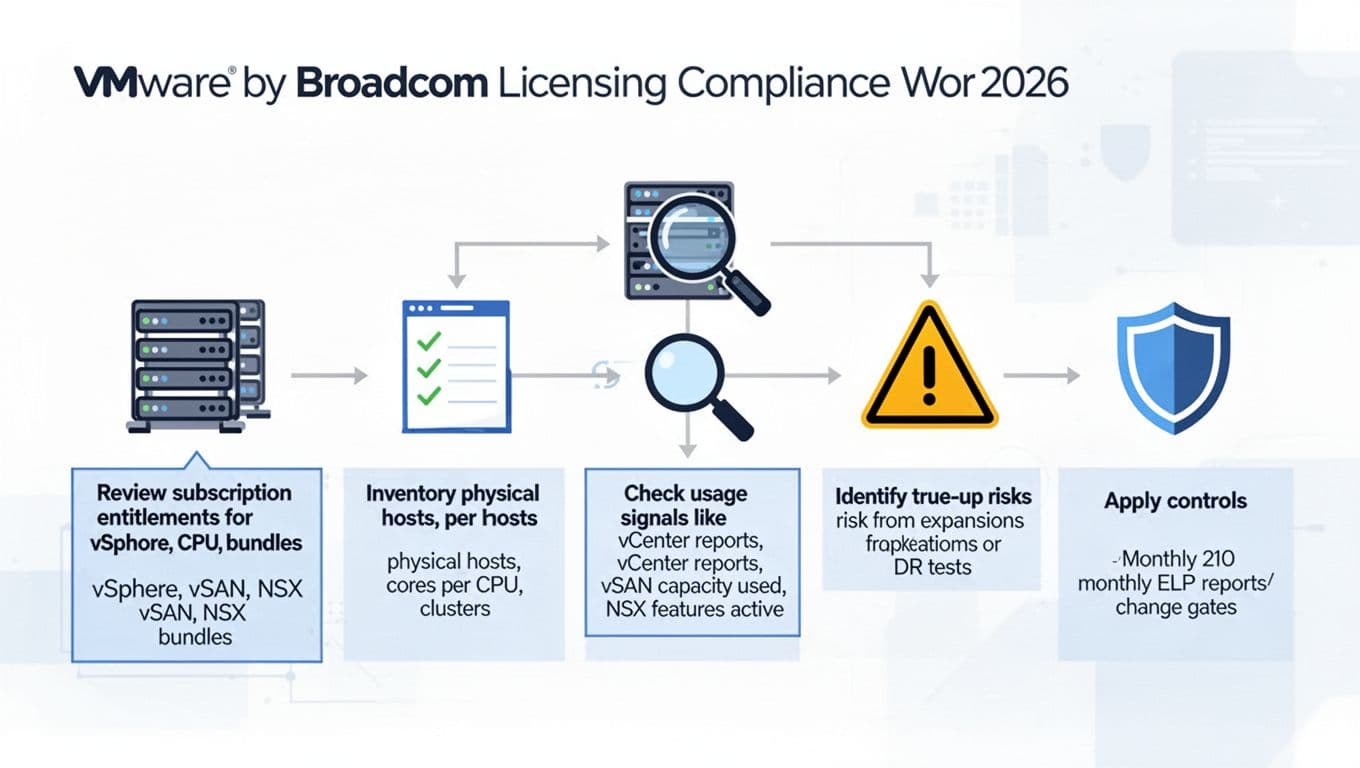
An AI-created infographic showing a practical compliance workflow from entitlements to controls.
Contract disclaimer: metrics, minimums, bundled components, and DR rights are policy and contract-dependent. Always confirm the exact measurement rules in your Broadcom quote, order form, and product use rights.
What VMware auditors check in 2026 (and what triggers true-ups)
Most VMware audit work looks boring on purpose. Auditors try to reconcile what you bought against what you run, using sources that are hard to dispute: host hardware inventory, vCenter exports, and configuration evidence.
A common failure mode is thinking “we didn’t add many VMs.” Audits often care more about host cores, enabled features, and where code is installed than about VM count.
Here are the areas that tend to create true-up exposure, especially after hardware refreshes, cluster expansions, or DR events. For more context on how enterprises are experiencing renewals and pricing pressure, see this February 2026 industry summary: what you need to know about VMware licensing changes.
vSphere: host cores, edition boundaries, and “in-scope” clusters
For vSphere, auditors typically validate:
- Physical core counts per ESXi host (not just sockets).
- Which hosts are managed by which vCenter, and which clusters are in scope.
- Whether untracked hosts exist (lab, ROBO, M&A inheritances, or “temporary” capacity).
True-ups often happen when a CPU refresh increases cores per socket. Nothing else changes, but the licensing requirement does.
vSAN: capacity, enabled clusters, and feature use
For vSAN, auditors usually look for:
- Clusters where vSAN is enabled, even if lightly used.
- vSAN capacity and configuration reports (capacity consumed, dedupe/compression state, encryption, stretched cluster indicators).
- Evidence that you’re staying within the metric defined by your subscription bundle.
Because vSAN can be switched on during a storage incident, it’s a classic “we forgot to turn it back off” audit story.
NSX: installed components, prepared hosts, and advanced features
For NSX, auditors commonly validate:
- Whether NSX Manager and edge components are deployed.
- Which clusters are “prepared” for NSX and how many transport nodes exist.
- Feature signals such as distributed firewall rules, gateways, and segmentation objects.
NSX risk spikes when teams enable it for one project, then expand it quietly across environments.
How to stop surprise true-ups: build an ELP and reconcile every month
An Effective License Position is a simple idea: a single source of truth that ties entitlements, deployment, and measurement rules together. Think of it like reconciling a bank account. Waiting for renewal season is like checking your balance once a year.
Step-by-step: build your ELP (ELP that procurement can sign)
- Collect entitlements: quotes, order forms, SKUs, start and end dates, renewal notice periods, and any DR or test rights.
- Define measurement rules: core counting, minimums, bundle components, and any included allowances (write them in plain language).
- Inventory deployments: export from vCenter, plus hardware source of truth (CMDB, iDRAC/iLO, or vendor asset lists).
- Map in-scope vs out-of-scope: dev, lab, training, DR, subsidiaries, and acquired environments.
- Calculate required coverage: required cores and required subscriptions, then compare to purchased quantities.
- Record assumptions and exceptions: with a ticket link, owner, and expiration date.
Capture these fields in your inventory so the math stays defensible:
| Inventory field (minimum set) | Why it matters in an audit |
|---|---|
| vCenter name, cluster, host name | Proves scope and prevents “missing hosts” |
| Host serial or asset tag | Prevents double counting and supports decommission proof |
| CPU model, sockets, cores per socket | Drives core-based licensing requirements |
| Total physical cores (calculated) | Your primary compliance number |
| vSAN enabled (Y/N) and cluster type | Shows where vSAN licensing applies |
| NSX prepared (Y/N), transport node role | Shows where NSX is deployed |
| Environment tag (Prod, Dev, DR, Lab) | Supports DR rights and exception handling |
| Commissioned date, decommissioned date | Supports proration discussions and clean exits |
Monthly reconciliation: the habit that prevents the panic
Run a lightweight reconciliation every month:
- Export host hardware and cluster membership from vCenter.
- Pull vSAN capacity and configuration summary from the same time window.
- Pull NSX inventory and key configuration counts (edges, prepared hosts, gateway footprint).
- Compare totals to your ELP, then open a ticket for every delta.
- Send a one-page change summary to procurement and finance.
This is also where you catch “silent” triggers: a DR test that ran longer than planned, a host moved into a licensed cluster, or a feature enabled during troubleshooting. Market overviews like VMware licensing in 2026 can help frame budgeting conversations, but your ELP should always be driven by your own contract terms and telemetry.
Contract-dependent vs generally observed practices
Policy and contract-dependent (confirm in writing): DR and failover rights, how long DR can run, whether cold standby counts, bundle component limits, minimum purchase sizes, and any penalties for late renewals.
Generally observed in audits: auditors prefer system exports over screenshots, they reconcile to physical cores, they ask for decommission proof, and they treat “installed and enabled” as a usage signal even when utilization is low.
Audit readiness kit: what to keep, who owns it, how long to retain
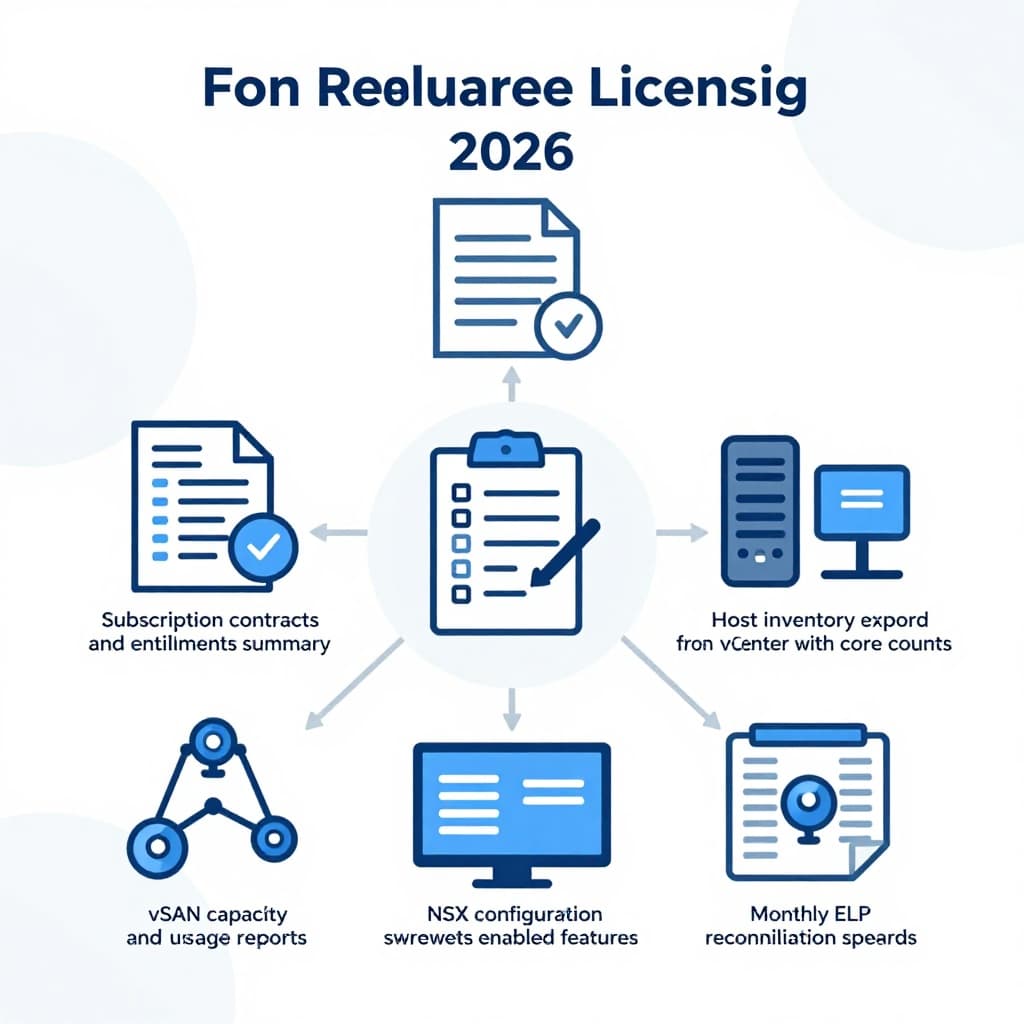
An AI-created visual of the core artifacts that make audits faster and less disruptive.
| Artifact to retain | Suggested owner | Retention guidance |
|---|---|---|
| Order forms, quotes, entitlement summaries | Procurement | Term plus 24 months |
| Monthly vCenter host inventory exports | Virtualization lead | 24 months rolling |
| Monthly vSAN capacity and config reports | Storage lead | 24 months rolling |
| Monthly NSX inventory/config exports | Network security lead | 24 months rolling |
| ELP workbook and change log (tickets) | ITAM or SAM | 36 months rolling |
Governance is the final layer. Put change-management gates in front of risk: adding hosts, upgrading to higher-core CPUs, enabling vSAN, preparing clusters for NSX, or changing DR procedures. For DR tests, document the run window, the max footprint, and the cleanup steps, then attach evidence of shutdown or rollback. When you must make an exception, write down why, who approved it, and when it expires.
Conclusion
Surprise true-ups aren’t bad luck, they’re usually missing process. In 2026, the safest approach is simple: keep your VMware licensing position current, measured against physical reality, and backed by exports you can reproduce.
Build the ELP, reconcile monthly, and put change gates where costs can jump overnight. The next audit becomes a data request, not a fire drill.

