A sandbox that lets engineers create anything, anywhere, for an unlimited time will eventually produce spend nobody can explain. FinOps sandbox accounts need guardrails that preserve experimentation while making every environment attributable, time-bound, and recoverable.
The strongest controls are simple: assign an owner before provisioning, set a budget and expiration date, require ownership tags, and restrict high-risk services. Automated cleanup at lease end prevents cloud waste, while cost reporting connects sandbox governance to cloud financial management and shows whether controls worked.
Key takeaways for temporary cloud governance
- Require every sandbox to have a named technical owner, business owner, cost center, purpose, and expiration timestamp before deployment.
- Treat budget alerts as triggers, not enforcement. Connect them to a defined response, such as freezing new provisioning or starting cleanup.
- Manage account, subscription, project, and resource expiration separately. Set TTL policies with renewal logic, since a temporary Kubernetes namespace can outlive its pull request.
- Measure unowned spend, expired resources, automated cleanup failures, cleanup success rate, budget breach response time, and automation savings each month.
- Use FOCUS to normalize billing records across clouds, while keeping provisioning, tagging, and deletion controls in each provider’s native platform.
What FinOps sandbox accounts must control
Sandbox governance should remove friction from ordinary engineering work, not force every test environment through a finance approval queue. Platform teams can offer pre-approved templates, bounded quotas, and short default leases. In return, requesters accept ownership and expiration rules.
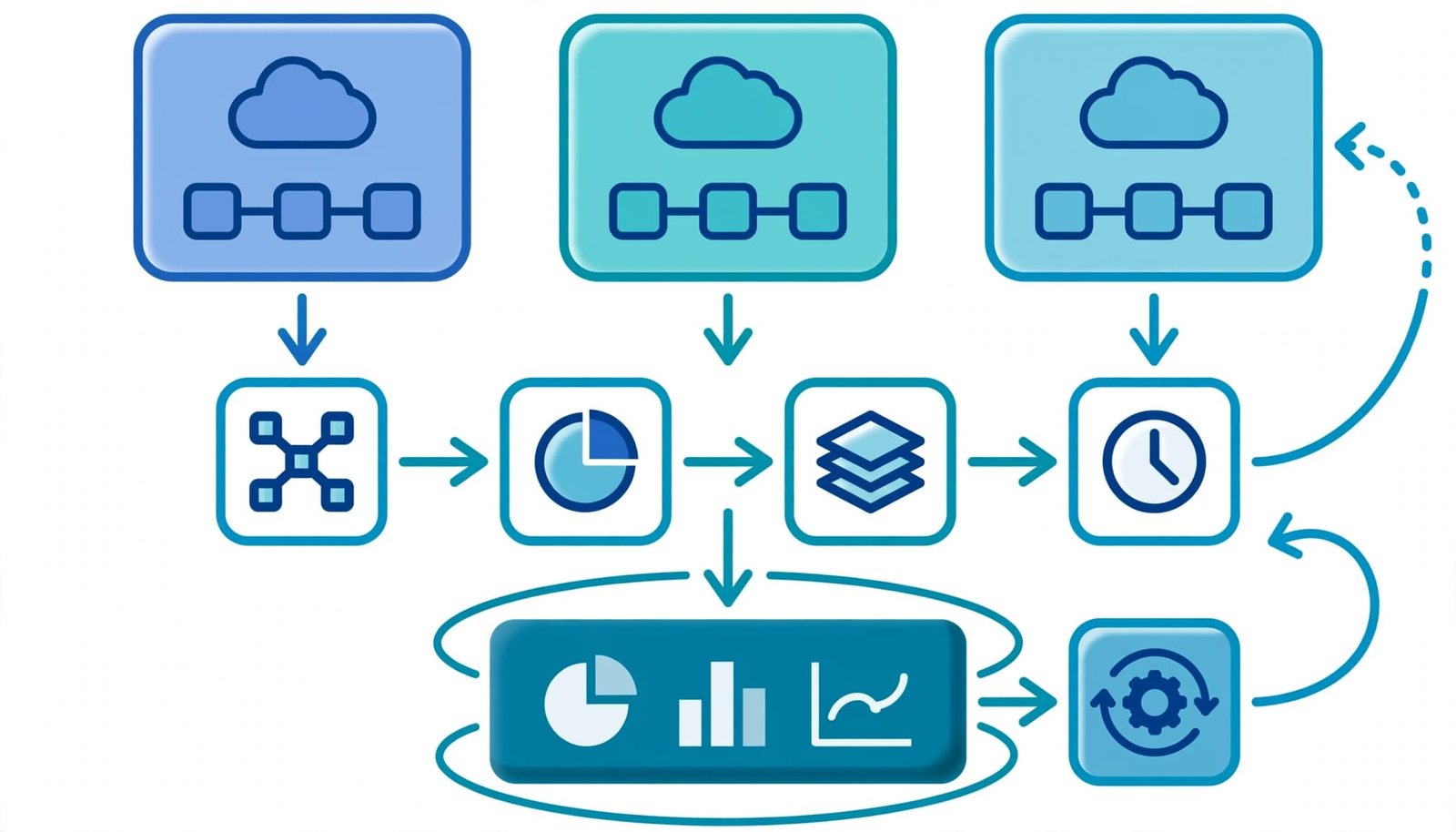
Preserve speed with pre-approved boundaries
Give teams a catalog of safe environment patterns. Account vending can create a bounded account, subscription, project, or namespace with a budget, network boundary, tagging requirements, and expiration date.
A standard application sandbox might include a small compute profile, approved regions, managed identity, logging limits, and a 14-day lease. A GPU or data-processing sandbox should require extra approval because its cost and data exposure differ.
Pre-approval changes the discussion. Engineers no longer ask whether they may experiment. They choose a controlled environment that already has a budget, network boundary, and end date.
Make accountability automatic
An account without ownership metadata is an operational defect, not merely a reporting gap. Required metadata helps prevent cloud waste by linking resources to a person, team, purpose, and end date.
The platform should reject or quarantine requests missing required fields, while recording the request ID and provisioning template version. These details make later investigations faster.
A budget identifies unexpected spend. Ownership and expiration prevent that spend from becoming an abandoned obligation.
Build sandbox onboarding into the platform
Manual spreadsheet requests fail when teams need an environment quickly. Instead, make the portal, infrastructure-as-code workflow, or service catalog an account vending workflow. It collects and validates required FinOps fields, then applies tagging and budgets before creating the account, subscription, project, cluster namespace, or resource group.
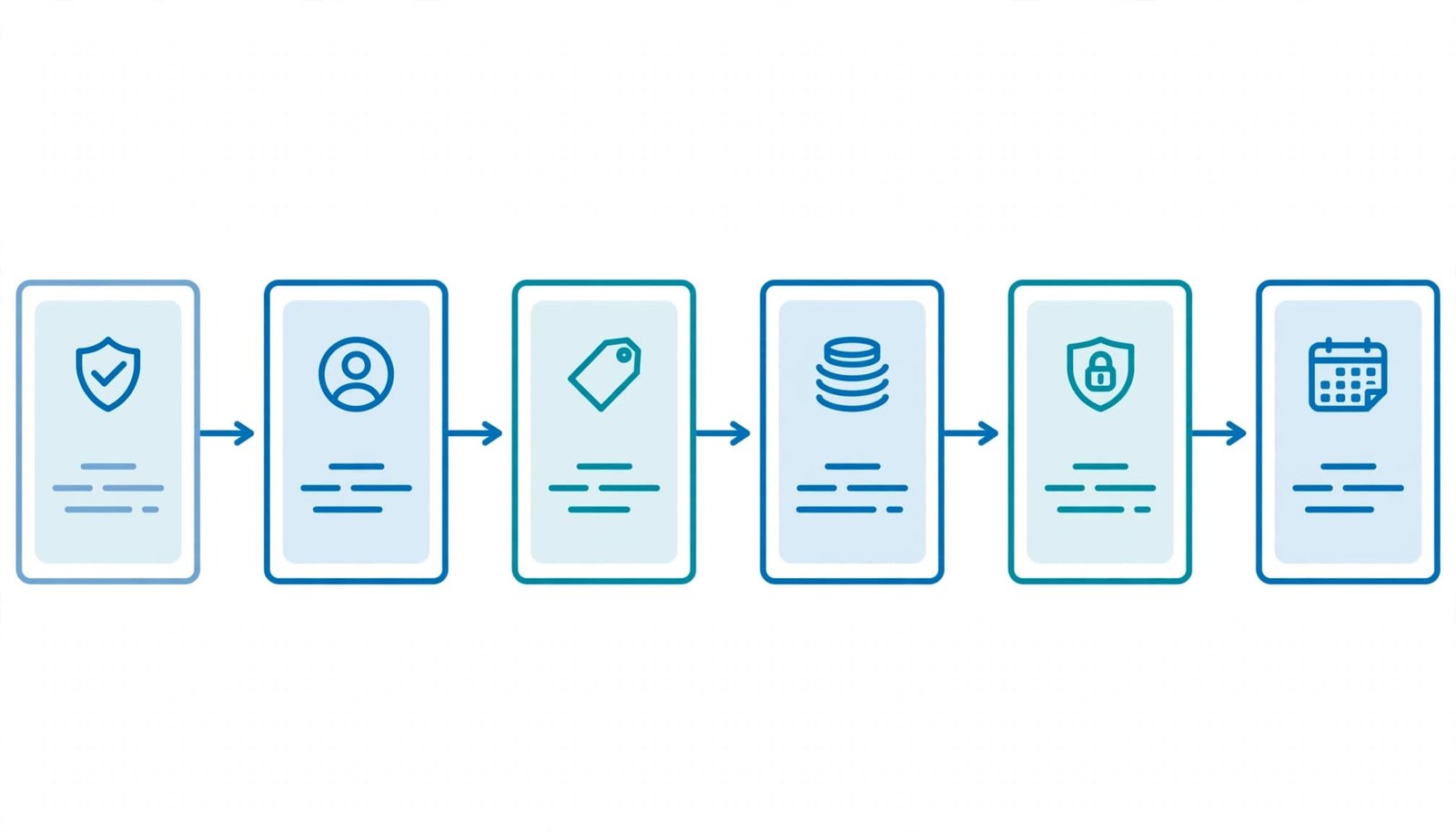
Require these fields before provisioning
A workable onboarding checklist includes:
- A technical owner who can act on alerts and approve extensions.
- A business owner who accepts the expense when the technical owner leaves or changes teams.
- A cost center, product or initiative code, environment classification, and data classification.
- A request purpose, expected end date, and an expiration timestamp in a consistent time zone. Treat the timestamp as the authoritative TTL policy.
- A budget amount, alert recipients, and an escalation path for a breach.
- A source repository, ticket, or pull request where applicable.
- A deletion method and a documented exception path for retained data.
Use controlled values for tagging where possible. Free-form project names create duplicates that later fragment cost allocation.
Start with short leases and renewal
Set a default duration that matches the work. Pull-request environments often need days. Proofs of concept may need weeks. A research account may need a longer lease, yet it should still require a periodic renewal.
TTL policies should require an explicit renewal. The owner confirms the environment is active, restates its purpose, and accepts a new end date. Without renewal, automated cleanup should begin instead of allowing indefinite extension.
Set portable policies before provider automation
The policy should define the required cloud cost controls. Provider tools should enforce them according to their capabilities, billing structures, and organizational designs. Cloud pricing and product features change, so validate current provider documentation before deploying an automated action.
Use clear policy logic
Start with policy logic that platform engineering, security, and FinOps can all review:
- Deny new sandbox provisioning if
technical_owner,business_owner,cost_center,environment, orexpires_onis absent. - Deny or require approval for regions, instance families, services, and images outside the approved sandbox catalog.
- Apply a default budget, alert routing, and tagging validation when a sandbox is created.
- Apply a TTL policy to each sandbox, then freeze new deployments when spend reaches the action threshold. Keep read-only access for investigation.
- Send warnings before expiration, then run automated cleanup for eligible resources after the grace period.
- Route failed cleanup to a queue with a named remediation owner and a due date.
Keep thresholds configurable by environment class. A low-cost development subscription shouldn’t follow the same policy as a controlled machine-learning test account.
Separate prevention from detection
Preventive controls stop untagged resources, prohibited SKUs, and unbounded provisioning at creation time. Detective controls identify resources that later lose metadata, exceed a budget, trigger anomaly detection, or remain active past expiration. You need both.
For example, a policy engine can require tags during deployment, while TTL policies limit how long a sandbox remains active. Daily inventory and anomaly detection jobs should still find resources where tags were removed, overwritten, or never inherited by child services.
Apply provider controls without assuming equivalence
AWS, Azure, and Google Cloud are cloud service providers with different isolation and lifecycle boundaries. An AWS account, Azure subscription, and Google Cloud project aren’t interchangeable control boundaries. Design a portable policy, then map it to each provider’s documented mechanisms.
AWS can use leases, budgets, freezes, and cleanup
AWS documents that Innovation Sandbox on AWS can manage budget and duration thresholds. Depending on configuration, it can freeze an account to prevent new resource creation or initiate cleanup.
Its documented lifecycle moves a terminated lease into cleanup, where resources from the previous lease are deleted. Review the AWS account lifecycle guidance before treating deletion as complete. Some resources need exclusions, dependency handling, or manual remediation.
Azure supports subscription budgets and expiration automation
Microsoft’s sandbox guidance recommends a subscription budget and an expiration-date tag. It also describes automation that can cancel or delete a subscription when it reaches expiration. Review Azure landing zone sandbox environments when mapping the workflow to management groups and Azure Policy.
A cancellation or deletion action can have broad consequences. Use a warning window and preserve evidence before the action runs.
Validate Google Cloud controls in your tenant
Google Cloud projects, billing accounts, organization policies, labels, and budgets can support temporary cloud environments. However, don’t assume they offer the same lifecycle behavior as an AWS lease or Azure subscription workflow.
Document the exact enforcement point, test it in a non-production organization folder, and record what happens to persistent disks, reserved addresses, snapshots, and managed services during cleanup.
Give every resource ownership metadata
Account-level tags establish broad ownership, but they don’t resolve resource-level ambiguity. Shared clusters, networks, observability services, and central logging can generate charges across several teams.
At a minimum, store technical_owner, business_owner, cost_center, application, environment, expires_on, request_id, and provisioned_by. Add data_classification and repository when security or engineering workflows need them. Use these fields to connect account, resource, namespace, workload, and shared-service ownership.
AWS warns that activating tags for billing can take up to 24 hours, and activation isn’t retroactive. That makes pre-provisioning validation important. A tag applied after a costly test begins can’t repair the first day’s attribution.
For containers, account tags alone rarely provide enough detail. Pair them with namespace, workload, and allocation logic. Kubernetes cost allocation with OpenCost helps identify shared node pools, ingress, and storage costs. It can reveal cloud waste prevention opportunities without pretending every shared charge belongs perfectly to one team.
Run an expiration and cleanup workflow
Deletion is a business process supported by automation. A TTL policy should trigger a warning, controlled freeze, and verified cleanup, not an unverified timer event.
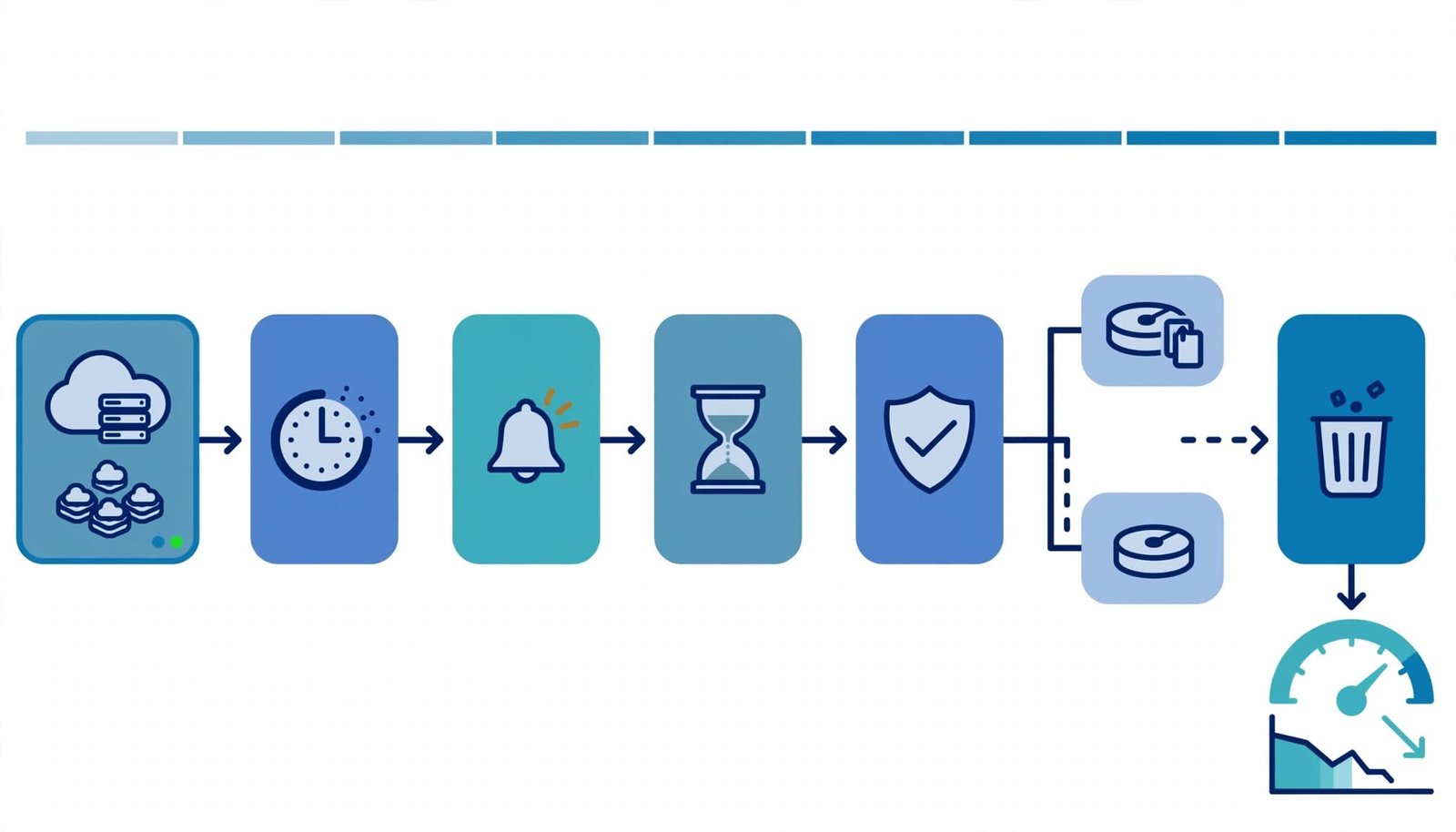
Warn, confirm, then freeze
Send the technical owner a warning before expiration. The notice should show the environment ID, current spend, active resources, extension link, and planned cleanup time. Escalate to the business owner when the warning is ignored.
At expiration, freeze new provisioning where provider controls and policy allow it. This preserves visibility and gives owners time to export needed data, while limiting further growth.
Delete in a controlled order
First stop ephemeral compute and CI runners. Next remove application resources, load balancers, clusters, and temporary databases. Delete storage and snapshots according to retention rules, then verify that no billable resources remain.
The cleanup workflow should capture before-and-after inventories, action logs, exception approvals, failed resources, and billing impact. If an automated cleanup action fails, create a ticket with a named owner. Never mark the environment closed solely because the automation job completed.
Use FOCUS for cross-cloud cost evidence
The FinOps Open Cost and Usage Specification normalizes cloud billing data from multiple cloud service providers and other technology costs. It supplies comparable evidence for cloud financial management, but it’s a reporting standard, not a control plane. The FOCUS specification doesn’t create budgets, deny a resource, or delete an expired sandbox.
Compare billed cost and effective cost correctly
Billed Cost is the amount charged or invoiced for usage. Effective Cost expresses the economic cost after applicable adjustments, such as discounts, credits, or support allocations. The FOCUS Specification 1.4 defines these concepts and the common schema.
For sandbox reporting, keep both measures available. Billed Cost helps reconcile to provider invoices and supports invoice reconciliation. Effective Cost helps teams understand the cost they consume after enterprise pricing arrangements; label Effective Cost when adjustments change the economic result. Report Effective Cost separately from invoice-facing values, and don’t substitute one measure for the other without labeling it.
Keep Billing Currency explicit during data normalization, and test it before allocation. The FOCUS specification supplies field semantics, but data normalization still requires provider review.
| Field | Why retain it |
|---|---|
| Billing Currency | Preserves currency context during cross-cloud aggregation |
| Billing Account Id | Supports account-level ownership and allocation |
| Charge Category | Distinguishes usage, taxes, credits, and other charges |
| Consumed Quantity | Preserves the usage measure behind a charge |
Compare Billing Currency codes before cross-cloud aggregation. Store normalized Billing Currency beside the native value. For shared costs, use Billing Account Id to preserve account-level ownership. Pair it with Charge Category when applying cost allocation. The Use Case Library provides practical cost allocation patterns for shared services.
Test normalization before production reporting
The FOCUS Sandbox and sample data lets FinOps Practitioners query anonymized datasets without exposing corporate billing records. Within the FOCUS Sandbox, FinOps Practitioners can run SQL queries, test multi-cloud data transformations, and compare allocation results. Repeat those SQL queries in the FOCUS Sandbox with fresh sample data before exposing production cloud billing data. The FOCUS Sandbox’s sample data can support a final analyst review, but it’s a learning resource, not an account-provisioning mechanism. Compare the final output with the sample data before production. Use the Use Case Library to choose practical query patterns.
For production ingestion, build a column mapping reference for each native export. The FOCUS specification gives a stable target, while normalized multi-cloud data still needs provider-specific testing. Run the following checks before approving a transformation:
| Validation action | Required evidence |
|---|---|
| Field mapping | Apply the column mapping reference, run the FOCUS Validator, and record unmapped fields in a conformance gap report. |
| Null handling | Test null handling with the FOCUS Validator, then document accepted exceptions in a conformance gap report. |
| Currency checks | Validate Billing Currency and Consumed Quantity with the FOCUS Validator, and add rounding or code-set issues to a conformance gap report. |
| Account attribution | Attach a column mapping reference to Billing Account Id, run the FOCUS Validator, and record attribution failures in a conformance gap report. |
| Charge categorization | Check Charge Category and shared-cost rules with the FOCUS Validator; record ambiguous allocations in a conformance gap report. |
| Provider comparison | Compare exports from cloud service providers with a column mapping reference and the FOCUS Validator; document differences in a conformance gap report. |
| Audit evidence | Retain native files, the column mapping reference, and normalized records, then link the conformance gap report to the audit evidence. |
| Remediation | Assign owners after FOCUS Validator review, and track each fix in a conformance gap report. |
An optional certification program can support analyst readiness. One FinOps Certified FOCUS Analyst may lead schema reviews, and another FinOps Certified FOCUS Analyst can challenge mappings. Neither the certification program nor either credential is required for sandbox operation.
Known Industry Limitations: Provider-specific fields and shared-service attribution can complicate normalized reports. Adjacent sources such as D365 FinOps and Power Platform may need separate mapping. Review Known Industry Limitations before adding Power Platform data to cross-provider reports. The Use Case Library includes patterns for Power Platform reporting, while Known Industry Limitations still apply to Power Platform charges.
A reliable pipeline retains native files alongside normalized records. Retain Billed Cost and Effective Cost with those files, and preserve Billing Currency beside the native value. This supports invoice reconciliation when a mapping rule produces an unexpected result. For example, an Azure export or AWS billing export can provide audit evidence when a mapping rule produces an unexpected result. Azure Cost Exports for FinOps covers practical considerations for cross-cloud billing ingestion.
Track control KPIs that lead to action
A dashboard should not only show monthly sandbox spend. It should identify failing controls early enough for teams to repair them. Anomaly detection can flag unusual spend, while cloud cost controls guide the response.
Report ownership and expiration failures
Track unowned spend as a currency amount and percentage of total sandbox spend. Break it down by provider, account class, service, and age. Tagging gaps should appear alongside resources without a valid owner. Report expired resources separately, with current daily cost and a remediation owner.
Review the oldest items first. A one-day-old untagged test instance differs from a six-month-old abandoned database with recurring backups. This ordering supports practical cloud waste prevention.
Measure automation and response time
Use these operational KPIs:
| KPI | Calculation | Response |
|---|---|---|
| Unowned spend | Spend from resources without valid ownership metadata | Assign an owner, quarantine the resource, or escalate the exception |
| Cleanup success rate | Successful cleanups divided by cleanup attempts | Investigate failed automated cleanup by resource type |
| Budget breach response time | Time from alert to owner acknowledgment or enforcement | Escalate missed targets and apply policy enforcement |
| Expired resources | Active resources past expires_on | Freeze or delete under policy, then record the outcome |
| Savings from automation | Avoided run cost after cleanup or shutdown | Validate savings against inventory and usage evidence |
Compare the savings estimate with before-and-after usage records, rather than reporting a projected number as realized savings. Also track repeat exceptions, because they often expose an environment class that needs a better template or a realistic default lease.
Respond to budget breaches with a runbook
A budget alert should trigger a defined sequence. First, validate whether the increase comes from approved testing, runaway automation, missing tags, or a shared service. Then notify the technical owner with the environment ID, current cost, top services, and remaining budget.
If the owner confirms valid work, document the approved extension or budget increase. If nobody responds, freeze new provisioning where possible and escalate to cleanup. Cloud cost anomaly detection tools can provide earlier signals, but anomaly detection doesn’t replace budget policies, TTL policies, tagging, ownership, or automated cleanup.
Avoid punitive reporting. A transparent response process encourages teams to declare legitimate experiments before costs become a dispute.
FAQ
What is the FOCUS Sandbox?
The FOCUS Sandbox is a learning environment with anonymized FOCUS billing datasets and sample data. FinOps Practitioners can use it to test SQL queries, learn normalized cloud billing fields, and explore cost allocation methods without using their organization’s billing exports.
An analyst certification program can support related skills, but it isn’t required to use the FOCUS Sandbox. The resource isn’t itself a certification program.
It supports analysis work, not a billing-data workflow. It doesn’t provision or govern a cloud sandbox account.
How should teams handle null values and long strings in FOCUS data?
Preserve the raw provider value and define how your analytics layer represents missing values. Don’t replace nulls with invented ownership or cost values. Run the FOCUS Validator before production reporting, and compare results with expected query outputs.
For text fields, set storage and transformation limits that retain source values without silent truncation. Log rejected or shortened records, because a truncated resource identifier can corrupt allocation.
Document missing fields, null handling, and provider-specific limitations in a conformance gap report. If validation finds a provider mismatch, update the conformance gap report with its source behavior and reporting impact. Keep a column mapping reference with the release evidence, then rerun the FOCUS Validator after schema or transformation changes. Archive the final conformance gap report.
Which metadata matters most for temporary environments?
Start with a technical owner, business owner, cost center, environment, expiration date, request ID, and provisioning source. These fields support immediate accountability, cost allocation, renewal decisions, and cleanup investigations.
Keep a column mapping reference that connects source fields to normalized records. Additional metadata should solve a clear operational need. Too many optional tags reduce data quality and slow onboarding.
Make temporary cloud spend accountable
A well-run sandbox program gives engineers a fast path to experiment and a predictable path to exit. Its control loop captures ownership before provisioning, sets budgets and TTL policies, responds to anomalies, and verifies automated cleanup with billing evidence.
Accountable experimentation depends on sandbox governance, tagging, and cloud cost controls that are easy to use and difficult to bypass.

