A Kubernetes workload can outgrow node-local storage long before compute capacity, making AWS EFS pricing an early platform concern. Multiple pods across nodes may need concurrent, POSIX-style file access, including shared read access. Amazon EFS provides shared ReadWriteMany (RWX) volumes for Amazon EKS clusters without managing NFS servers.
The file system bill can include more than stored gigabytes. A file system’s monthly cost reflects throughput activity, lifecycle transitions, file size, and network placement. Data transfer can add to the total; Regional file systems span multiple Availability Zones, unlike single-zone configurations.
Start by matching the workload’s availability and performance needs, then model the expected bill with real access patterns.
AWS EFS pricing varies by Region, storage choice, throughput configuration, usage pattern, and pricing date. Check the service’s official pricing page and AWS documentation for current details instead of relying on a universal rate.
Key Takeaways
- AWS EFS is a strong fit for Amazon EKS workloads that require shared, POSIX-style ReadWriteMany storage across worker nodes.
- EFS pricing includes more than storage capacity: throughput, lifecycle transitions, access activity, data transfer, backup, and related network costs can affect the monthly bill.
- Regional, Infrequent Access, Archive, and One Zone storage classes suit different availability, retention, and access patterns, but small files and frequent retrieval can reduce tiering savings.
- Keep mount targets local to the Availability Zones used by your nodes, measure real workload activity, and verify current Regional rates with the official AWS pricing page and Pricing Calculator.
Why EFS fits shared Kubernetes storage
Amazon EFS is a managed NFS service that many pods can mount at the same time. That makes it useful for shared assets, build caches, model artifacts, content repositories, and applications that require a common writable directory.
AWS lists Amazon EFS among the storage options for EKS workloads, alongside block and object-based choices in its EKS storage guidance. With the Amazon EFS CSI driver, Kubernetes can dynamically provision access points and PersistentVolumes for namespaces or applications.
ReadWriteMany changes the storage decision
Amazon EBS is often cheaper per GB and performs well for a database volume attached to one node. Yet EBS doesn’t provide general shared storage for pods scheduled across multiple worker nodes.
EFS costs more because it provides shared regional storage that can be mounted concurrently from different zones. For an RWX requirement, an EBS price comparison misses the shared storage cost and the operational requirement EFS satisfies.
The architecture affects the bill
Regional file systems store data redundantly across multiple zones. Kubernetes nodes can mount the file system through local mount targets in different Availability Zones, helping avoid unnecessary cross-zone paths.
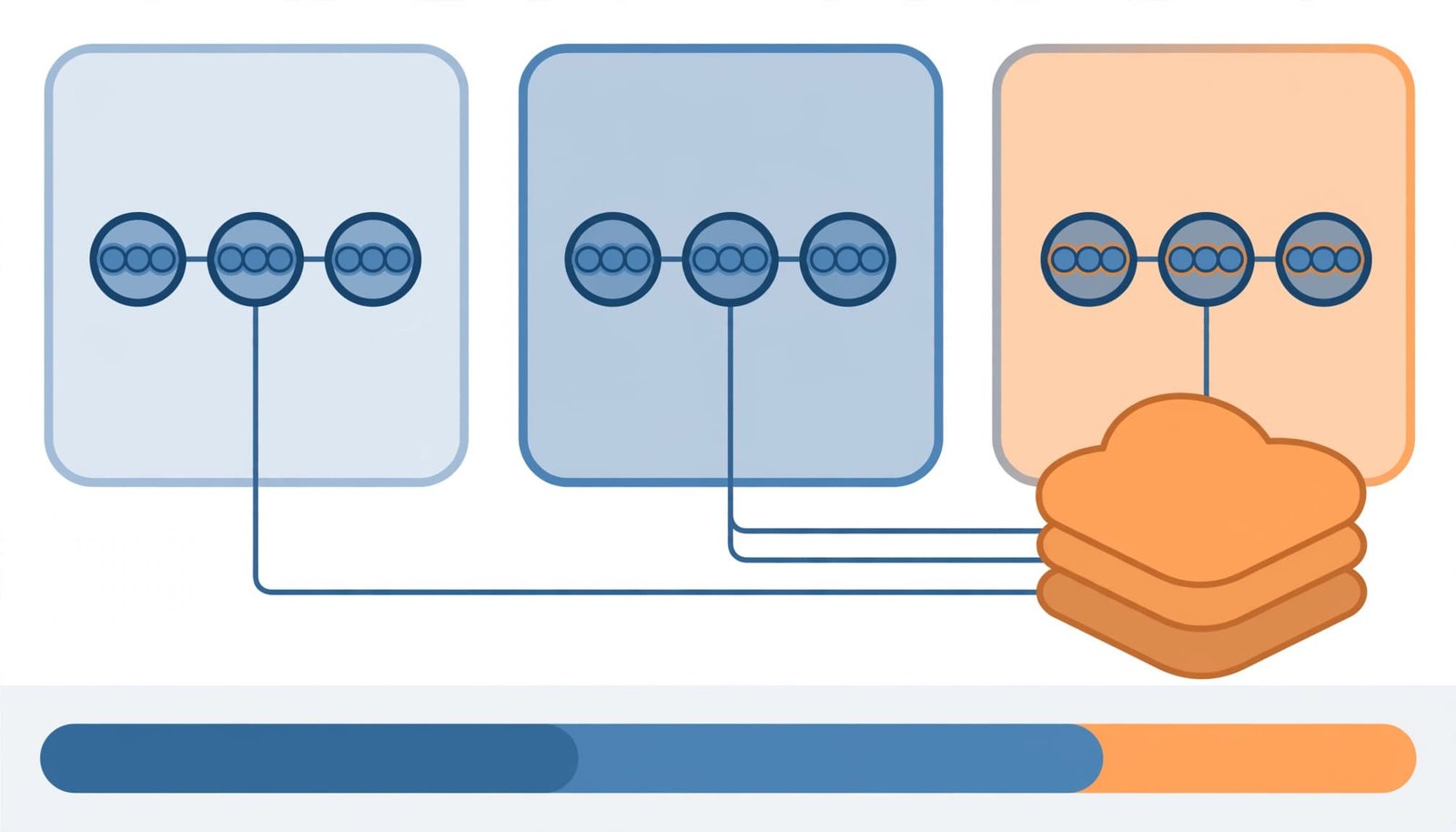
These mount targets are network access endpoints, not a substitute for the file system’s storage capacity or throughput charges. Data transfer charges between zones are separate from EFS storage capacity charges, so verify applicable regional networking charges in official AWS pricing documentation.
For production EKS clusters spread across zones, create and validate a mount target in every enabled worker-node zone. Otherwise, a workload may reach the file system through another zone, causing cross-AZ transfer charges and added latency.
EFS pricing has several moving parts
The monthly total starts with storage capacity, but Amazon EFS separates storage, throughput, and access-related charges. AWS EFS pricing varies by Region, storage class, throughput mode, usage pattern, and date, so treat US East (N. Virginia) figures as dated illustrations only. Confirm your Region, file system type, and usage assumptions on the Amazon EFS pricing page and in the AWS Pricing Calculator before approving a forecast. Before publication, recheck every numerical rate against that official page.
Storage capacity is billed by class
The selected storage class sets the capacity rate. For a Regional EFS file system in us-east-1, EFS Standard is commonly listed at $0.30 per GB-month. This is the warm storage tier for data that applications read or change frequently.
Lower-priced tiers reduce the capacity portion of the bill. Current AWS material lists Regional Infrequent Access at $0.016 per GB-month for deployments using Elastic Throughput, while the archive tier is $0.008 per GB-month. Single-AZ storage has separate, lower prices because it keeps data in one location.
Check whether the AWS Free Tier applies under current terms and eligibility; it doesn’t imply that all EKS-related costs are covered. Backups, Data transfer, mount-target charges, network path charges, and EKS compute or Fargate costs aren’t included in these storage-and-throughput examples. Network charges are separate from EFS storage and throughput charges.
Throughput can become the variable charge
Elastic Throughput automatically adjusts performance to workload activity. Its charges depend on data transferred by the file system, so a capacity-only estimate can understate the monthly charge for busy shared directories.
Provisioned Throughput is for sustained, predictable demand. Unlike the automatic mode above, Provisioned Throughput bills the average provisioned throughput above the baseline included with EFS Standard storage. Review the selected performance mode and workload limits in AWS’s EFS performance specifications before locking in a setting.
A modest-capacity deployment can still cost more than expected when many pods repeatedly scan, build, extract, or rewrite the same shared files.
Storage classes determine the capacity bill
Lifecycle management lets an Amazon EFS file system move colder files out of the Standard storage class automatically. This works well for retained build outputs, older releases, inactive tenant uploads, and model versions that can move to Infrequent Access while staying available.
Each storage class has a different fit and trade-off:
| Storage class | us-east-1 example capacity price | Good fit | Trade-off |
|---|---|---|---|
| Regional Standard | $0.30 per GB-month | Active shared application files | Highest capacity cost |
| Regional Infrequent Access | $0.016 per GB-month with Elastic Throughput | Data accessed less often | Access and tiering economics matter |
| EFS Archive | $0.008 per GB-month | Long-retained, rarely read files | Retrieval behavior and retention period matter |
| One Zone Standard | $0.16 per GB-month | Recoverable, non-critical data in one AZ | No multi-AZ resilience |
One Zone storage doesn’t span Availability Zones, unlike Regional storage, so it lacks multi-AZ resilience.
The price gap is large, but data tiering isn’t always the cheapest outcome. Moving bytes to a colder class doesn’t automatically reduce the total bill. Frequent retrieval after tiering can erase savings when applications need read access after files move.
Small files distort IA and Archive economics
The minimum file size is 128 KiB in a file system using Infrequent Access or EFS Archive. This makes the storage class less efficient for tiny files, since a 4 KiB artifact still consumes 128 KiB of billable storage. Amazon EFS documents this rule in its guide to understanding EFS billing usage reports.
This matters for CI systems, package caches, static-site pipelines, and application logs. Millions of tiny files may be inexpensive in Standard, yet their effective per-byte cost rises after lifecycle policies tier them.
Pack immutable small artifacts into tar, zip, or application-aware bundle files when retrieval patterns allow it. Don’t bundle files that applications must randomly update or access independently.
Archive requires a long retention horizon
An EFS file system using EFS Archive is best for data that stays cold. AWS states that EFS Archive data has a 90-day minimum storage duration, and early deletion or truncation can trigger prorated charges. Check current pricing and the EFS FAQ’s Archive billing details before applying it to temporary exports or short-lived backups. Retrieval, tiering, and early-deletion economics can change the result.
Estimate an EKS file system before deployment
For a monthly Amazon EFS model, separate known storage capacity from usage-dependent charges:
Monthly file system cost = Standard capacity + IA capacity + Archive capacity + throughput charges + lifecycle and access charges + applicable transfer charges
EFS storage capacity and throughput are separate from backup storage and applicable transfer charges. Mount-target and network charges, plus related EKS node or Fargate costs, require separate estimates.
Treat Standard, IA, and Archive as separate inputs within the storage class model. In this example, IA represents Infrequent Access.
For a planning estimate, use Regional file systems in us-east-1. Assume the file system uses Elastic Throughput. It holds 500 GB in Standard, 1,536 GB in IA, and 2,048 GB in EFS Archive.
Use the selected throughput mode in the estimate. Model Provisioned Throughput separately for sustained demand.
Illustrative capacity subtotal: Treat all rates below as illustrative us-east-1 examples, and verify them against the official EFS pricing page and AWS Pricing Calculator.
| Component | Formula | Estimated monthly cost |
|---|---|---|
| Standard storage | 500 GB x $0.30 | $150.00 |
| IA storage | 1,536 GB x $0.016 | $24.58 |
| Archive storage | 2,048 GB x $0.008 | $16.38 |
| Capacity subtotal | Sum of storage charges | $190.96 |
This is a storage-capacity subtotal for the file system, not a full invoice. It excludes throughput activity, lifecycle transitions, reads from colder tiers, applicable Data transfer, backup services, and taxes.
The final monthly charge varies by Region, chosen storage tier, selected throughput setting, usage pattern, and date.
Model actual access rather than average storage
A capacity report shows where bytes sit in the file system. It doesn’t show how applications behave. Pull 30 to 60 days of metrics from a comparable workload, including read access, write volume, file counts, request bursts, and cross-zone pod placement.
Then create a high case and a typical case to guide cost optimization. A release week with image builds or batch jobs may move far more data than an ordinary week, especially when many pods reuse the same shared cache.
Control the costs hidden in daily operations
Most EFS cost surprises come from workload behavior rather than a poor tier choice. Platform teams using Amazon EFS need file system visibility, not only namespace-level PersistentVolume usage. This visibility supports cost optimization by connecting workload activity to billing drivers.
Keep mount targets local to compute
Map the Availability Zones used by managed node groups, Karpenter capacity, and Fargate profiles. Then validate mount-target coverage across those Availability Zones. Verify that security groups permit NFS traffic on port 2049, following current AWS security-group and EFS documentation. Mount targets provide zonal network access to EFS, not storage capacity, throughput, backup, or EKS compute charges.
Cross-AZ transfer can occur when a node accesses a mount target outside its own zone. Data transfer charges depend on the Region and AWS data-transfer rules, so include this path in the forecast rather than assuming a universal rate.
Find the files that never leave Standard
Lifecycle policies move files based on access, but recurring scans can keep data in Standard. Antivirus jobs, indexers, backup scripts, find commands, and cache validation jobs can touch a large tree often enough to prevent tiering and undermine lifecycle management.
Review lifecycle reports alongside application schedules. AWS explains supported lifecycle-policy timing when creating an EFS file system, including examples that move data to IA after 30 days and Archive after 90 days.
A practical lifecycle management control loop includes:
- Tag each file system with application, environment, cost center, retention class, and data owner.
- Data transfer and cross-AZ transfer deserve alerts alongside rapid growth in Standard bytes and throughput charges.
- Review access-point ownership so abandoned namespaces don’t retain data after a Helm release disappears.
- Test lifecycle policies in non-production with real file counts and access patterns, so data tiering reflects actual behavior before production rollout.
Choose EFS, EBS, S3 Files, or FSx by access pattern
Storage cost should follow application semantics. A lower GB rate can still increase engineering and operational costs when teams add synchronization jobs, sidecars, or custom locking to compensate for the wrong interface.
| Service | Best use in Kubernetes | Shared RWX fit | Main cost consideration |
|---|---|---|---|
| Amazon EFS | Shared POSIX directories across nodes | Strong | Capacity, throughput, and access activity |
| Amazon EBS | Stateful volumes attached to one node | Limited | Volume capacity and node attachment |
| S3 Files | Large object-oriented repositories | Workload-dependent | Application compatibility and request activity |
| Amazon FSx | Specialized file-system protocols and performance needs | Varies by FSx type | Service-specific capacity and throughput pricing |
Choose the right file system based on its interface. Amazon EFS is the direct choice when applications require ordinary file operations, shared mounts, and concurrent writes across worker nodes. EBS fits databases or single-writer StatefulSet volumes, while S3 Files suits object-oriented repositories that accept its file interface and consistency model.
FSx suits workloads needing specialized file system protocols or performance, such as Windows file shares, Lustre-backed high-performance computing, or NetApp-oriented data management. Evaluate related EKS node, Fargate, CSI, and network costs separately where relevant. Don’t migrate an EFS workload solely because its GB-month rate looks high.
Frequently Asked Questions
Is Amazon EFS expensive for Kubernetes?
Amazon EFS can cost more than EBS per GB because it provides shared regional storage that multiple pods can mount concurrently. The total cost also depends on throughput, access activity, storage class, data transfer, and network placement.
What is the cheapest EFS storage class?
EFS Archive generally has the lowest capacity rate, followed by Infrequent Access, but each tier has different access and retention economics. Frequent retrieval, small files, lifecycle transitions, and Archive’s minimum storage duration can reduce or eliminate the expected savings.
Does EFS throughput cost extra?
Throughput charges are separate from storage capacity charges. Elastic Throughput varies with file-system activity, while Provisioned Throughput is intended for sustained, predictable demand and bills based on the selected provisioned capacity above the included baseline.
How can EKS teams reduce EFS costs?
Use lifecycle management for genuinely cold data, monitor Standard storage and throughput activity, and bundle small immutable files when applications allow it. Create mount targets in every worker-node Availability Zone to reduce avoidable cross-AZ paths and related transfer charges.
Final thoughts on EFS cost planning
The strongest EFS cost plan begins with the RWX requirement, then measures how the file system is accessed. AWS EFS pricing varies by Region, storage class, throughput configuration, usage pattern, and date. Standard, IA, and Archive suit different retention patterns, while Provisioned Throughput supports deliberate performance planning.
Storage cost covers more than capacity. EFS storage, throughput, Data transfer, mount-target and network paths, backups, and related EKS costs remain separate billing considerations. A Regional design with local mount targets and measured access behavior gives the file system a clear boundary for Amazon EFS and supports cost optimization.

