Privilege creep is quiet. It grows one exception at a time, a temporary fix that never gets removed, a role that keeps old permissions after a migration, a contractor account that stays enabled “just in case.” Over time, your AWS account ends up with more power than it needs, spread across people and workloads.
This AWS IAM audit checklist focuses on signals that correlate with real risk, not box-checking. You’ll pull evidence from IAM, Access Analyzer, Organizations, and CloudTrail, then turn findings into clean remediation work that sticks. If you need a simple framing for the “why,” start with a clear definition of privilege creep and how it happens.
Prepare your audit environment (so findings are defensible)
Before you hunt down over-permission, make sure you can trust your data and run queries safely.
AWS Console paths to confirm first:
- CloudTrail is on and protected: CloudTrail console > Trails (confirm multi-Region trail if required), then check S3 bucket policies and log file validation settings.
- Access Analyzer is enabled: IAM console > Access Analyzer > Analyzers (create one per account or at org scope).
- Centralize identity where possible: IAM Identity Center for humans, IAM roles for workloads, fewer IAM users.

If your org is multi-account, align the audit to Well-Architected Security Pillar intent: least privilege, MFA, short-lived sessions, and guardrails (SCPs, permissions boundaries). Also decide your review window up front (common: 90 days for humans, 30 to 14 for automation roles), because “unused” always depends on time.
For background on tightening unused access with native tooling, AWS explains how to use IAM Access Analyzer recommendations to refine unused access. That post is useful when you need to justify removals to app teams.
Gotcha: “Not used” doesn’t always mean “not needed.” For break-glass and rare incident actions, keep permissions but isolate them behind MFA, approval, and tight boundaries.
Pull high-signal account data (keys, users, and stale access)
Start with evidence that reliably exposes privilege creep: long-lived credentials and identities that haven’t done real work.
Credential report: find stale passwords and long-lived access keys
AWS Console: IAM console > Access reports > Credential report > Download.
AWS CLI:
aws iam generate-credential-reportaws iam get-credential-report --query 'Content' --output text | base64 --decode > credential-report.csv
AWS documents the command details in the generate-credential-report CLI reference.
What to flag (risk, then fix):
- Access keys unused for 90+ days (risk: keys get copied and reused quietly). Fix: deactivate, then delete after validation. Replace with role-based access (STS) where possible.
- Password enabled without MFA (risk: phishing becomes account access). Fix: enforce MFA for console users, or better, move humans to federation via IAM Identity Center.
- Multiple active keys per user (risk: “forgotten” key stays live). Fix: keep one active key maximum, rotate, and set ownership.
A small, practical filter workflow is to load the CSV into your usual tooling, then target the top offenders first: active keys plus no recent use.
Account authorization details: map “who has what” fast
This one is noisy, but it’s the fastest way to build an entitlement baseline.
aws iam get-account-authorization-details --output json > authz.json
Sample jq snippets that help triage:
- Find users with any attached managed policy:
jq -r '.UserDetailList[] | select(.AttachedManagedPolicies|length>0) | .UserName' authz.json
- List roles that can be assumed (good for spotting legacy roles you forgot existed):
jq -r '.RoleDetailList[] | .RoleName' authz.json
Remediation rule: if you can’t name the owner and purpose of an identity or role, it’s a decommission candidate. Put it in a quarantine path (deny all but read-only), watch for impact, then delete.
Hunt privilege creep in policies and trust relationships (where breaches start)
Privilege creep usually lives in two places: overly broad permissions, and overly broad trust. Your audit should pressure-test both.
1) Wildcards and broad managed policies
High-signal checks:
Action: "*"or service wildcards likeiam:*,kms:*,s3:*Resource: "*"on data-plane actions (S3, KMS, Secrets Manager)- AWS managed policies like AdministratorAccess attached to human roles, or to workloads that don’t need it
AWS Console: IAM console > Policies (filter Customer managed), then review JSON.
AWS CLI pattern to inspect a managed policy version:
aws iam get-policy --policy-arn arn:aws:iam::123456789012:policy/YourPolicyaws iam get-policy-version --policy-arn arn:aws:iam::123456789012:policy/YourPolicy --version-id v1 --output json > policy.jsonjq '.PolicyVersion.Document.Statement[] | select(.Action=="*" or .Resource=="*")' policy.json
Risk and fix:
- Risk: broad actions plus broad resources turns any compromised principal into lateral movement.
- Fix: reduce to specific actions and ARNs, add conditions (source VPC endpoint, tags, principal tags), and cap with a permissions boundary for roles that tend to grow.
2) Trust policies that allow surprise access
Trust relationships are a common “oops.” They age badly, especially in orgs with many accounts.
AWS Console: IAM console > Roles > choose role > Trust relationships.
AWS CLI:
aws iam get-role --role-name YourRole --query 'Role.AssumeRolePolicyDocument' --output json > trust.jsonjq '.Statement[] | {Effect, Action, Principal, Condition}' trust.json
Findings to treat as urgent:
- Cross-account trust without constraints (risk: another account can assume the role too easily). Fix: require
aws:PrincipalOrgID, require an ExternalId for third parties, and scope principals to exact role ARNs. - Federated trust with loose conditions (risk: token reuse across apps). Fix: tighten audience (
aud) and subject (sub) conditions, and reduce session duration.
For a deeper, AWS-native view into what’s actually being used, use IAM’s last accessed data (also called Access Advisor). The docs show how to view last accessed information for IAM, including console and CLI workflows.
Organization-level checks (permission sets, SCPs, and “who can ever do this”)
Privilege creep accelerates when each account reinvents controls. In 2026, org guardrails matter as much as per-account cleanup.
Service Control Policies and Resource Control Policies
AWS Console: AWS Organizations console > Policies (review SCPs, and RCPs if used).
AWS CLI:
aws organizations list-policies --filter SERVICE_CONTROL_POLICYaws organizations list-policies --filter RESOURCE_CONTROL_POLICY
High-signal org findings (risk, then fix):
- No SCP guardrails on sensitive actions (risk: someone can create access keys, disable logging, or weaken security services). Fix: add SCP denies for turning off CloudTrail, GuardDuty, Security Hub, and for risky IAM mutations outside approved roles.
- Root user not constrained (risk: root is the ultimate backdoor). Fix: lock down root with MFA, no access keys, and org controls wherever possible.
Stale permission set and account assignments
If you use IAM Identity Center, stale assignments are a major creep source. Teams change, but permission sets stay.
AWS Console: IAM Identity Center console > Permission sets, then AWS accounts > review assignments.
AWS CLI starting points:
aws sso-admin list-permission-sets --instance-arn INSTANCE_ARNaws sso-admin list-accounts-for-provisioned-permission-set --instance-arn INSTANCE_ARN --permission-set-arn PERMISSION_SET_ARN
Remediation: tie assignments to groups, not people; enforce an owner per permission set; require expiry for elevated access (even if tracked outside AWS), and review quarterly.
Quick wins in 60 minutes (high impact, low debate)
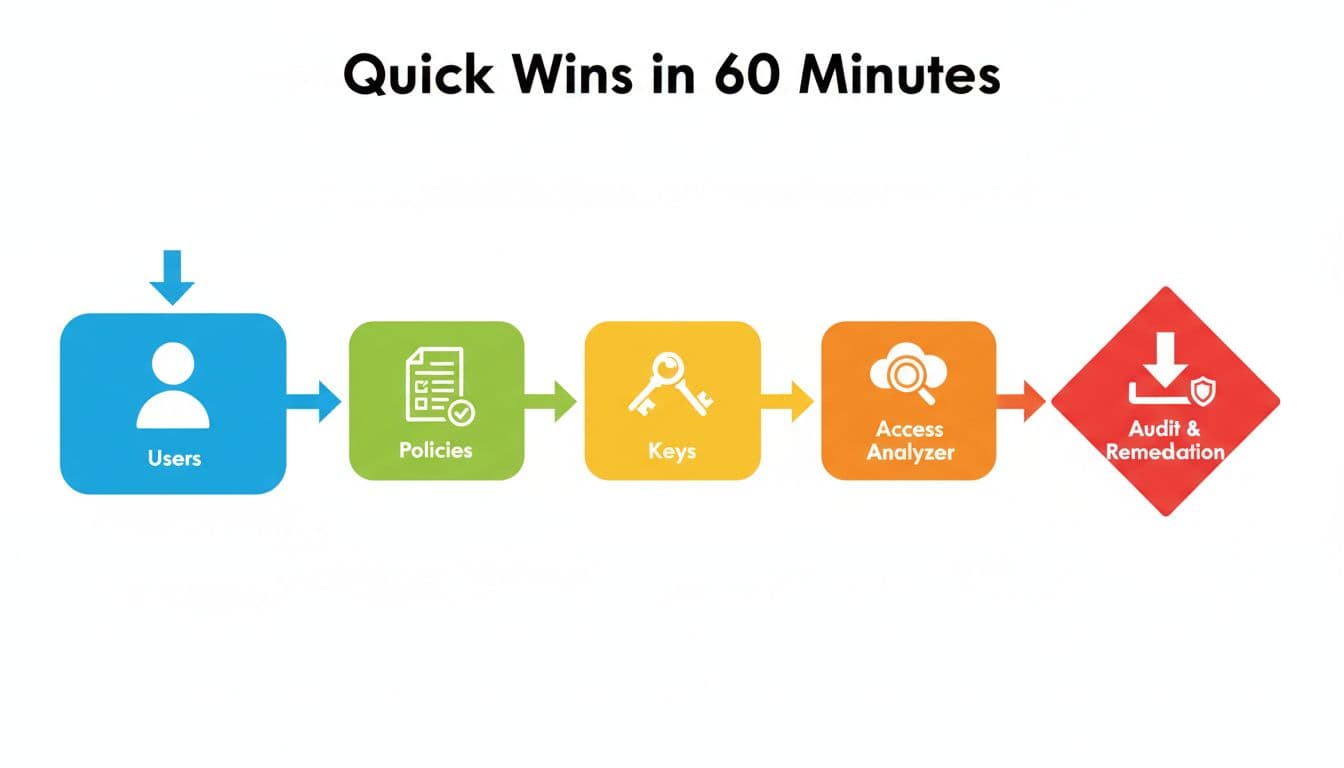
If you only have an hour, focus on the findings most tied to real incidents:
- Download the credential report, then disable any access key unused for 90+ days (after owner confirmation).
- Search for AdministratorAccess attachments to IAM users and roles, then move humans to least-privilege roles and cap workloads with boundaries.
- List Access Analyzer findings and triage “external access” and “unused access” first:
aws accessanalyzer list-analyzersaws accessanalyzer list-findings --analyzer-arn ANALYZER_ARN
- Review the top 10 most assumed roles, then tighten trust policies that allow broad cross-account access.
- Confirm SCPs block disabling audit logs, because audit gaps hide privilege creep.
For a broader security review structure that complements IAM-only work, see this AWS security review checklist and adapt the IAM sections into your recurring controls.
Conclusion
Privilege creep isn’t solved by a once-a-year review. It’s solved by repeatable checks that surface unused power, broad trust, and long-lived credentials, then removing them without breaking teams. Run this AWS IAM audit checklist quarterly, track exceptions with owners and expiry dates, and enforce org guardrails so the same problems don’t return. The next time someone asks, “Who can do what in AWS?”, you’ll have an answer backed by evidence, not guesses.

