A GitLab CI security audit can fail for a simple reason: teams review YAML, but miss the platform and runner settings that control the real blast radius.
In 2026, that gap is expensive. Short-lived tokens, policy gates, and built-in scans help, but they don’t fix weak runners, broad job tokens, or unsafe deploy rules. Start with the controls that stop one bad job from turning into a full compromise.
Audit the GitLab platform before you read a single job
Treat the GitLab instance as the control tower. If it runs old code or hands out broad rights, every project inherits that risk. For self-managed setups, first confirm you’re on GitLab 18.8.4 or later. Early 2026 patches fixed multiple issues, including DoS flaws and an authentication bypass path in older releases.
A fast first pass looks like this:
| Area | High-risk finding | Fix now | Verify |
|---|---|---|---|
| Instance version | Older than 18.8.4 | Patch GitLab | Check admin version page |
| Branch protection | Deploys from unprotected refs | Protect branches and tags | Try a test push from a low-privilege account |
| Job token scope | Jobs can read or write across projects | Use fine-grained job token permissions | Review token access logs and project settings |
| Variables | Unmasked or overly broad secrets | Scope, mask, and protect secrets | Inspect CI/CD variables at group and project level |
Then review permissions. Protected branches and protected tags should gate release jobs. Merge request approvals should block changes to .gitlab-ci.yml, runner config, and deploy code. Group-level compliance policies help keep standards consistent, especially across many repos. GitLab’s own CI/CD best practices guidance is a useful baseline, but your audit should go further and test the controls.
Also check secrets storage. Group variables often become a silent hazard because they spread everywhere. Limit them by environment and protection status. Better yet, replace long-lived cloud keys with OIDC-backed access where the job requests a short-lived token at runtime.
Lock down runners, because they decide your true blast radius
Runners are where code becomes action. If a runner can pull secrets, reach production, and run untrusted merge requests, you’ve built a bridge for attackers.

The biggest red flags are still familiar. Shared runners for sensitive jobs, shell executors on multi-use hosts, privileged Docker jobs, and mounted /var/run/docker.sock all deserve immediate review. In most cases, ephemeral runners in isolated VMs or locked-down Kubernetes pods are safer. Separate build runners from deploy runners, and tag them so only approved jobs can use them.
If a runner handles untrusted code and production secrets, assume compromise is only a matter of time.
Look at network paths too. A build runner rarely needs direct access to production databases or internal admin APIs. Restrict outbound access, segment runner subnets, and isolate caches and artifacts between projects. Cache poisoning is less flashy than token theft, but it can still plant bad code in later jobs.
For verification, keep it practical:
- Runner scope: Confirm sensitive runners are marked protected and bound to trusted refs only.
- Executor safety: Check for privileged mode, Docker socket mounts, and shell executors on shared hosts.
- Network reach: From a test job, verify blocked access to internal systems that the job shouldn’t touch.
A solid runner review often finds more risk than a YAML review. That pattern lines up with broader 2026 CI/CD security practices, where identity and build-host isolation matter as much as code scanning.
Harden .gitlab-ci.yml and your secret flow
Once the platform and runners look sane, move into pipeline config. Here, small shortcuts cause large problems.
The common risky patterns are easy to spot. A deploy job triggered on every branch, image: node:latest, curl ... | bash, or a remote include pinned to nothing all weaken trust. Hard-coded cloud keys in variables are another classic trap. In 2026, short-lived identity beats stored secrets almost every time.
This table is a good audit lens:
| Risky pattern | Safer alternative | How to verify |
|---|---|---|
image: app:latest | Pin image by digest | Review image refs in jobs |
| Static cloud keys in variables | OIDC per job | Check cloud audit logs for federated access |
curl URL | bash | Fetch pinned artifact, verify checksum or signature | Inspect scripts and job logs |
| Deploy rules on all branches | rules limited to protected refs and environments | Run test pipelines from unprotected branches |
A few examples make this concrete. If a job uses only: [branches] for deployment, rewrite it with rules so it runs only on main, protected tags, or approved environments. If a job pulls a remote template, pin the ref to a commit or trusted release tag. If a job uses a long-lived AWS_SECRET_ACCESS_KEY, switch to OIDC and let the cloud provider issue short-lived credentials.
Secrets deserve a separate pass. Review masking, protection, environment scope, and job exposure. A helpful refresher on safer secret handling lives in this guide to GitLab CI variables for secure pipelines. Still, don’t stop at storage. Verify that secrets never print in logs, never pass to untrusted forks, and never outlive the job that needed them.
Scan, gate, and prove the pipeline is behaving
Security scans are useful only when they change pipeline behavior. A dashboard full of ignored findings is like a smoke alarm with no battery.
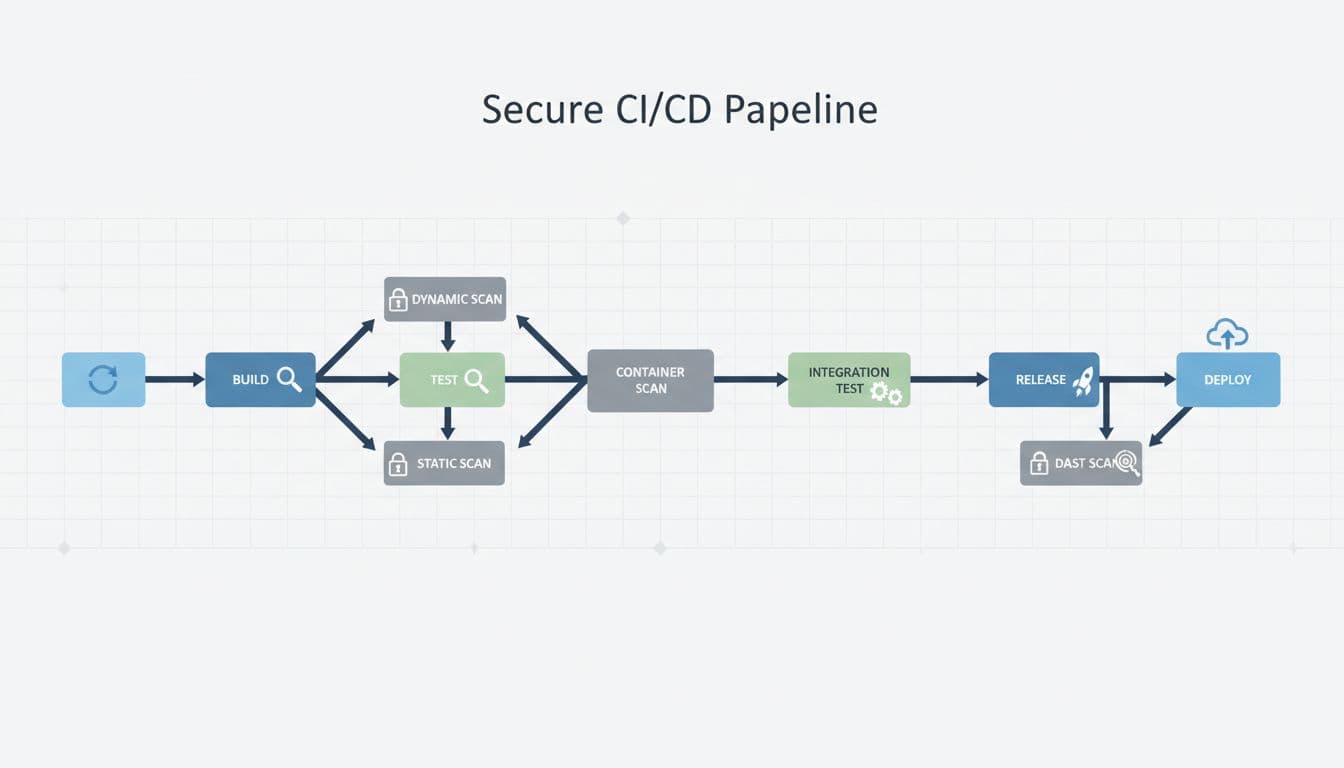
As of March 2026, GitLab supports built-in SAST, DAST, dependency scanning, container scanning, SBOM generation, security dashboards, policy gates, secret validity checks, and fine-grained job tokens. Some teams also use AI-assisted detection for suspicious code patterns, but that should support, not replace, clear policy.

For high-risk repos, block merges when critical findings appear. Require SBOMs on release builds. Keep exceptions time-bound, with an owner and expiry date. If you’re working toward software supply chain evidence, capture provenance and artifact integrity data as part of the release path.
Verification should be active, not passive:
- Inject a known vulnerable dependency into a test branch and confirm the pipeline fails or opens the expected finding.
- Push a fake secret pattern and confirm detection, masking, and response behavior.
- Review open policy exceptions older than 30 days and force re-approval or closure.
The strongest pipelines don’t rely on trust. They produce evidence.
A good GitLab CI security audit doesn’t start with scanners. It starts with boundaries: patched platform settings, isolated runners, tight identity, and safe job rules.
Run this audit after major GitLab upgrades, runner changes, and every quarter. If one test job can reach too much, fix that first.

