A service account audit in a hybrid estate isn’t just an access review. It’s a search for quiet, long-lived identities that can bridge on-prem AD and Microsoft Entra ID.
That bridge is where risk grows. A weak password in AD can become cloud exposure after sync. A stale account can sit unnoticed for months. Meanwhile, one bad directory role or one old protocol can turn a background identity into an attacker shortcut.
Why hybrid service accounts need a tighter audit
Hybrid identity adds overlap, and overlap hides problems. A service account may start life in AD, sync through Microsoft Entra Connect, and then pick up cloud access, legacy auth paths, or even directory roles. What looks like one account can behave like two risk surfaces.
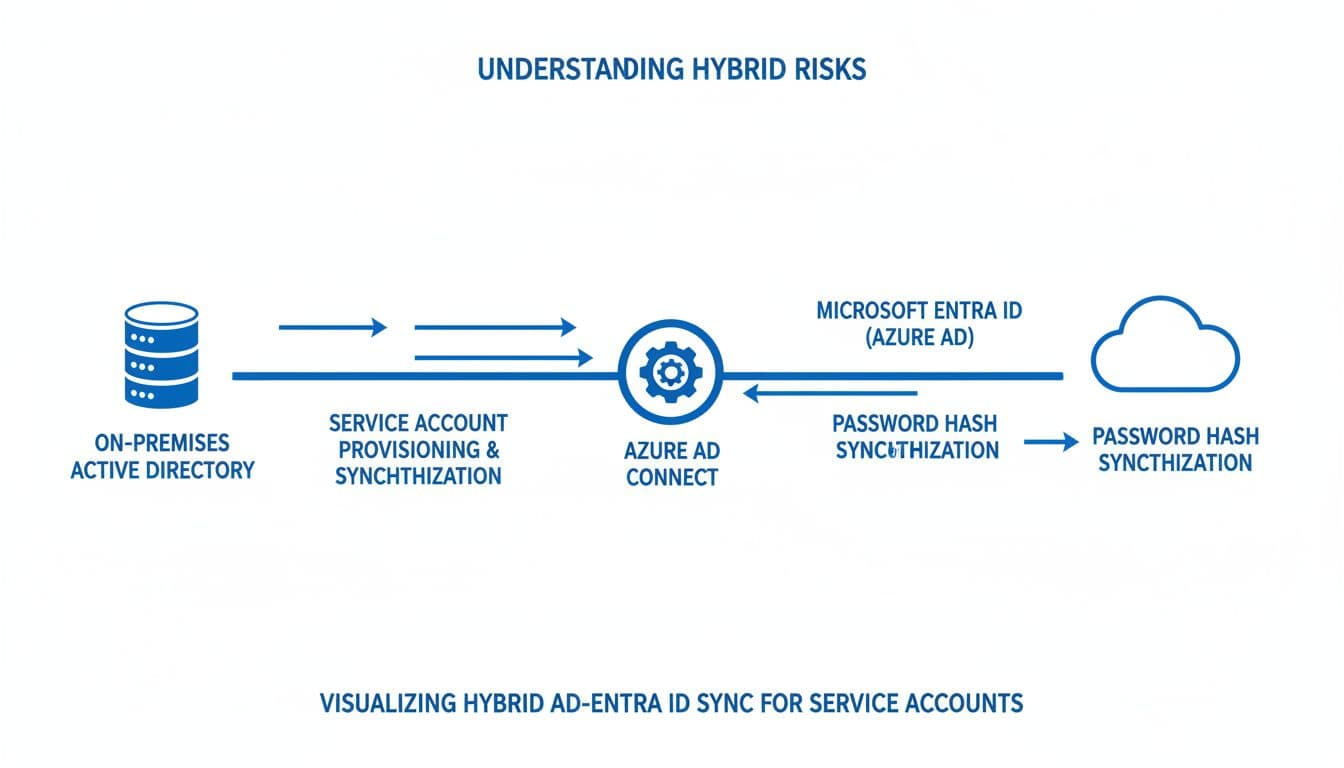
The common trouble spots are familiar. Password-based service accounts synced from AD often keep old secrets. Stale synced identities stay licensed or privileged after the app is gone. Some accounts still allow interactive sign-in, which is like leaving a server room key in a mailbox. Others carry SPNs with weak passwords, which raises Kerberoasting exposure.
On the AD side, you need to look for delegation, SPNs, group nesting, and logon rights. In Entra ID, focus on sign-in activity, directory roles, Conditional Access scope, and app-linked access. If your inventory is weak, start by hunting for stale or orphaned service accounts, then map each identity to an owner and a real workload.
Service account audit checklist for Hybrid AD and Entra ID
Use the table below as a pass or fail review. Keep it simple. If an account fails a row, it needs action before the next audit cycle.

| Pass or fail question | Check in | What to verify | Why it matters | Fix if fail |
|---|---|---|---|---|
| Is the account still required, owned, and recently used? | AD, CMDB, Entra sign-in logs | Named owner, mapped service, recent activity | Stale synced identities keep standing access | Disable, monitor, then remove or de-scope from sync |
| Is a synced password-based user account really needed? | AD, Entra Connect scope | User account used where gMSA or workload identity could work | One stolen AD password can open cloud access too | Move to gMSA on-prem, or app/workload identity in Entra ID |
| Is interactive sign-in blocked? | AD logon rights, servers, Entra Conditional Access | No console, RDP, VPN, browser, or portal sign-in | Interactive sign-in creates a direct abuse path | Deny interactive logon and restrict allowed hosts |
| Does it have only the access it needs? | AD groups, local groups, Entra directory roles | No broad admin groups or high-impact roles | Excessive directory roles widen blast radius | Remove roles, trim groups, use PIM where possible |
| Do passwords, secrets, and certs expire and rotate? | AD attributes, app registrations, secret stores | PasswordNeverExpires off, secret end dates set | Non-expiring credentials support long-term persistence | Rotate now, set expirations, store secrets properly |
| Is it hard to Kerberoast? | AD SPNs, encryption settings, event 4769 | SPN account uses long random secret or gMSA, AES enabled | Weak SPN-backed passwords can be cracked offline | Reset password, prune SPNs, convert to gMSA |
| Is delegation limited and documented? | AD account flags, msDS-AllowedToDelegateTo | No unconstrained delegation; constrained only if needed | Unconstrained delegation enables impersonation abuse | Remove the flag, move to constrained or resource-based delegation |
| Are legacy protocols blocked? | Entra sign-in logs, app configs, mail settings | No basic auth, old POP/IMAP/SMTP AUTH unless required | Legacy auth can bypass stronger controls | Block legacy auth and update the app or connector |
If a privileged service account can sign in interactively, treat it as an exposed admin account, not a background identity.
A few details matter during verification. lastLogonTimestamp helps, but it isn’t exact, so compare it with service telemetry and Entra sign-ins. Also, don’t stop at user accounts. Some “service account” risk now lives in enterprise apps and service principals, especially after app migrations.
Microsoft-native tools and reports to use
Start with built-in evidence before you buy another dashboard. In on-prem AD, use Active Directory PowerShell, setspn, and Security event IDs such as 4624, 4625, 4768, 4769, 4738, and 5136. Those events show logons, ticket requests, account changes, and directory changes.
In Entra ID, use Sign-in logs, Audit logs, directory role assignments, Enterprise applications, and service principal sign-in views. Microsoft Purview Audit adds a tenant-wide trail, and Search-UnifiedAuditLog is useful when you need repeatable exports. If you have Entra ID P2, Identity Protection helps surface risky sign-ins and risky users tied to suspicious activity.
For the app side of the review, this Entra app permission runbook is a helpful companion. So is this guide to auditing Entra application operations. If you’re folding this work into a wider review, an AD and Microsoft 365 security assessment checklist can help line up identity findings with tenant controls.
High-risk findings to fix first
Some issues deserve same-day action. Use this summary to set remediation order.
| High-risk finding | Why it ranks high | Priority | First action |
|---|---|---|---|
| Synced password-based account with Entra admin role | On-prem compromise can become cloud admin access | P1 | Remove role, rotate password, review sync need |
| Interactive sign-in enabled on privileged service account | Supports direct lateral movement | P1 | Deny sign-in and limit host access |
| Unconstrained delegation | Exposes impersonation paths | P1 | Remove delegation and re-test app |
| Non-expiring SPN password | Raises Kerberoasting and persistence risk | P1 | Reset to long random secret or gMSA |
| Stale synced identity with active group membership | Keeps hidden standing access | P2 | Disable, monitor, then delete |
| Legacy auth still allowed | Weakens MFA and password protections | P2 | Block protocol and modernize the workload |
Turn the checklist into a repeatable control
The best service account audit is the one you can run again after every app change, migration, or admin turnover. Keep one owner per account, one review cadence, and one place for evidence. Most of all, cut down synced password-based identities wherever you can, because fewer standing secrets means fewer quiet ways in.

