If you’re still treating NTLM as background noise, 2026 is the year to stop. Microsoft’s current roadmap points toward NTLM being disabled by default in future Windows releases, so every Windows domain needs a practical NTLM reduction plan now.
This isn’t a one-policy change. You need clear targets, solid audit data, staged fixes, and a pilot that proves core workloads can live without NTLM before you tighten controls.
Pick the right goal before you change any policy
Microsoft’s January 2026 update on disabling NTLM by default makes the direction clear. Better auditing is already available on Windows 11 24H2 and Windows Server 2025. Microsoft has also said H2 2026 will bring Kerberos helpers such as IAKerb and Local KDC, which should reduce some fallback cases.
That roadmap matters because three terms often get mixed up.
A quick comparison helps frame the work:
| Goal | What it means | Best use |
|---|---|---|
| Reduction | Lower NTLM use wherever Kerberos can work today | Most enterprises, first phase |
| Restriction | Block NTLM for selected paths, servers, or account types | After clean audit data |
| Elimination | No NTLM accepted in normal operations | High-security segments, long-term end state |
Think of reduction as draining a swamp, not flipping a breaker. You remove easy dependencies first, then fence off the dangerous areas, then decide where full elimination is realistic. For most organizations, that means reducing NTLM across the domain, restricting it for privileged access, and aiming for elimination on domain controllers, admin workstations, and other high-value tiers.
Also, don’t promise “full elimination” too early. Local accounts, old SMB clients, non-domain devices, and third-party appliances often keep NTLM alive at the edges. If the business hears “we’re removing NTLM everywhere next month,” the first outage will kill support for the program.
Discovery and auditing come first, always
Blocking NTLM without data is like patching a production server with your eyes closed. First, build an inventory of who still uses NTLM, where it happens, and why Kerberos didn’t win.

Use this sequence:
- Turn on NTLM audit policies for domain controllers, member servers, and a pilot set of clients.
- Collect logs centrally in your SIEM or Windows Event Forwarding, so patterns show up fast.
- Split NTLMv1 from NTLMv2 and treat NTLMv1 as the first fire to put out.
- Map each event to an owner, service account, device class, and target server.
- Record the reason for fallback, such as IP-based access, bad SPNs, local accounts, or no trust path.
Microsoft’s article on enhanced NTLM auditing in Windows 11 24H2 and Windows Server 2025 is worth using as your baseline. For older pain points, keep Microsoft Learn guidance for auditing NTLMv1 on domain controllers in the runbook as well.
Pay close attention to repeated patterns. SMB access by IP address often forces NTLM. So do missing SPNs, broken DNS aliases, old service accounts, and appliances that join the domain poorly or not at all. In addition, cross-forest traffic may fall back when trusts, name resolution, or selective authentication aren’t lined up.
A low event count doesn’t mean low risk. One backup appliance can keep NTLM alive across the estate.
Remediate blockers, then pilot enforcement in layers
Once the logs settle, fix root causes before you block anything. Legacy apps are often the biggest issue. Some still use old SSPI calls, hard-code server IPs, or depend on local accounts. In those cases, move them to FQDNs, register correct SPNs, shift services to gMSAs where possible, and press vendors for Kerberos support.
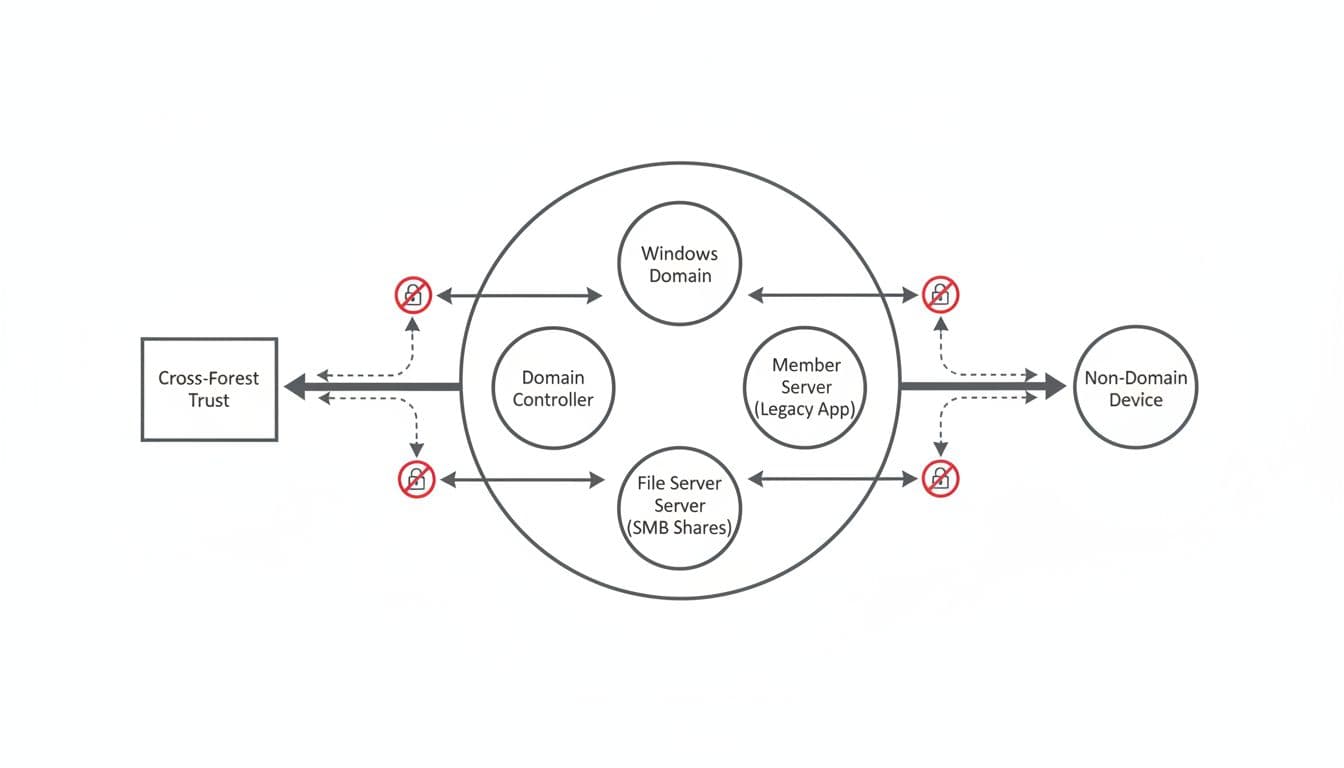
SMB needs extra care. Old NAS devices, print systems, scan targets, and embedded appliances still lean on NTLM. If a device can’t speak Kerberos cleanly, isolate it, front it with a controlled access path, or replace it. The same rule applies to non-domain-joined devices. If they must stay, treat them as exceptions with documented owners and review dates. For Windows-side control changes, this Windows Server 2025 NTLM disabling guide is a useful operational reference.
Pilot enforcement in layers, not across the whole domain:
- Start with privileged tiers: Admin workstations, jump hosts, and management servers should lose NTLM first.
- Then move to selected server OUs: File servers, app servers, and web tiers with clear owners work well.
- Use deny settings only after clean audits: Set audit first, validate, then restrict receiving or outgoing NTLM in scope.
- Keep rollback simple: One GPO link change should back out the pilot within minutes.
Before each phase, confirm four things: the service owner signed off, Kerberos succeeds in testing, fallback paths are documented, and monitoring is live. Also set the LAN Manager authentication level to NTLMv2 only if you haven’t already. That removes a large chunk of weak traffic without forcing full NTLM elimination on day one.
In short, balance security with uptime. Reduce broadly, restrict where the data is clean, and eliminate only where the architecture supports it.
A good NTLM reduction plan isn’t about chasing a headline. It’s about building a Kerberos-first domain without breaking the business on the way there. If your audit data is trustworthy and your pilot scope is tight, 2026 is a very good year to make that shift stick.

