A single over-permissioned service account can turn a routine application request into a route across your Active Directory domain. That is why a Kerberos delegation audit deserves the same care as a privileged-access review.
Hybrid environments add another boundary to inspect. On-premises Active Directory Kerberos delegation, Microsoft Entra Kerberos, Entra Application Proxy, and Azure Files authentication can sit near each other, but they don’t use the same trust model. A disciplined Kerberos delegation audit separates them before changing any setting.
Key Takeaways
- Treat unconstrained delegation as a high-priority exception that needs a documented business case and removal plan.
- Review classic constrained delegation and resource-based constrained delegation separately because their permissions live on different objects.
- Confirm that delegation targets are precise SPNs, not broad service classes or shared accounts.
- Keep Microsoft Entra cloud identity features distinct from on-premises Active Directory delegation settings.
- Test every remediation against production service flows before removing a delegation path.
Start With the Trust Boundaries You Actually Operate
Kerberos delegation lets one service obtain a Kerberos service ticket on behalf of a user for another service. The design supports multi-tier applications, such as a web application that accesses SQL Server under the user’s identity. However, delegation also concentrates authority in accounts and computer objects that attackers may target for lateral movement and privilege escalation.
Your Kerberos delegation audit should cover every writable Active Directory domain that supports production workloads, plus forests with trusts that expose integrated applications. Include every service account, group Managed Service Accounts (gMSAs), machine accounts, computer accounts, cluster virtual objects, and objects managed by application teams.
First, identify where Kerberos authentication crosses a boundary:
| Scenario | Primary control to review | Main risk |
|---|---|---|
| IIS or application server to SQL Server | Classic constrained delegation | Broad or stale SPN target list |
| File or print service acting for users | Unconstrained or constrained delegation | Ticket exposure on a compromised host |
| Front-end app to back-end service | Resource-based constrained delegation | Excessive write access to target object |
| Entra Application Proxy to on-prem app | KCD connector account and target SPNs | Misconfigured back-end authentication |
| Azure Files with hybrid identities | Microsoft Entra Kerberos configuration | Confusing cloud Kerberos with AD delegation |
Document the owner, application, server, user population, service principal name service SPNs, and change window for each path. An object with Kerberos delegation enabled but no named application owner is a remediation candidate, even if it has not triggered an alert.

Scope must also include administrative permissions within Active Directory. An attacker who can modify a computer object delegation attributes can create a delegation route without taking over the application itself. Review delegated permissions on the OUs that hold servers, each service account, and gMSAs.
Microsoft Defender for Identity can help surface high-risk account conditions through its account security posture assessments. Treat those findings as input to the audit, not as a substitute for mapping application dependencies.
Delegation risk is defined by both the account that can impersonate users and the objects allowed to alter its delegation settings.
Kerberos Delegation Audit: Identify Every Delegation Model
A complete Kerberos delegation audit starts by classifying each configuration. Similar-looking settings in Active Directory Users and Computers can have very different security effects.
Find and prioritize unconstrained delegation
Unconstrained delegation is the most urgent category. A service or computer trusted for unconstrained delegation can receive a user’s forwardable Ticket Granting Ticket, or TGT, when that user accesses the service. If an attacker compromises that host through credential dumping, the TGT can support access to other Kerberos services as that user.
In Active Directory, the UserAccountControl bit for unconstrained delegation is 524288. Authorized AD administrators can use the ActiveDirectory PowerShell module and PowerShell commands to inventory it:
Get-ADObject -LDAPFilter '(userAccountControl:1.2.840.113556.1.4.803:=524288)' -Properties userAccountControl,servicePrincipalName
Run this against an approved management workstation and store the export in a restricted audit location. Results should include computer accounts as well as user accounts. Older application servers, legacy IIS farms, and service accounts created years ago are common findings.
For each result, establish whether users still authenticate to it with Kerberos. Then identify whether privileged users, including administrators, can reach the service. A system may have a valid historical reason for unconstrained delegation yet still expose far more accounts than its current design requires.
Remove unconstrained delegation where the application supports a narrower design. If removal cannot happen immediately, restrict administrative logons to the host, isolate it, and record a retirement date. Microsoft also recommends enabling Kerberos audit logging on each domain controller in its Active Directory threat mitigation guidance.
Review classic constrained delegation
Classic constrained delegation limits a front-end service to named SPNs in the msDS-AllowedToDelegateTo attribute. It is safer than unconstrained delegation, but only when every SPN is necessary and exact.
The protocol transition option, shown as “Use any authentication protocol” in some AD interfaces, needs extra scrutiny. It enables protocol transition by setting the bit value 16777216. That setting lets the front-end obtain a service ticket for a user without first receiving a Kerberos service ticket from that user, which can sometimes open pathways for pass-the-ticket abuse.
Use this authorized inventory query to locate classic constrained delegation and protocol transition candidates:
Get-ADObject -LDAPFilter '(|(msDS-AllowedToDelegateTo=*)(userAccountControl:1.2.840.113556.1.4.803:=16777216))' -Properties servicePrincipalName,msDS-AllowedToDelegateTo,userAccountControl
Review each listed SPN with the application owner. MSSQLSvc/sqlprod01.contoso.com:1433 is a narrow target. A long list across unrelated server tiers is not. Also verify that the SPN resolves to the intended service account. Duplicate SPNs can break authentication and hide ownership problems, or occasionally enable a silver ticket attack if account secrets are weak.
Use a delegated managed service account where the application supports it to reduce manual password handling and give service identities clearer ownership. Still, a gMSA with broad delegation rights remains a privileged identity.

Inspect resource-based constrained delegation
Resource-based constrained delegation reverses the decision point. The back-end resource stores a security descriptor in msDS-AllowedToActOnBehalfOfOtherIdentity, which names principals allowed to delegate to it.
That model can reduce reliance on highly privileged domain-wide administration. Yet it creates a different audit challenge because the meaningful permission lives on the target computer or service account, not on the front-end account.
Inventory resource-based constrained delegation targets with:
Get-ADObject -LDAPFilter '(msDS-AllowedToActOnBehalfOfOtherIdentity=*)' -Properties msDS-AllowedToActOnBehalfOfOtherIdentity,servicePrincipalName
Then inspect the security descriptor and resolve each permitted SID to its account. Confirm that the source computer or service account belongs to the documented application tier. Check who can write the target object’s attributes, reset its password, change its owner, or modify its access control list.
Attackers often seek those write paths because they can make a controlled principal eligible for delegation. The delegation setting alone is only half the evidence. Object-level ACLs complete the picture.
Validate Business Need Before You Touch Production
An audit finding is not a change request. Kerberos failures often appear as vague application errors, repeated login prompts, or service access denied events. Removing a setting without tracing the transaction can cause an outage during a busy period.
For every delegation path, capture the information below in your change record:
- Record the front-end account, the back-end SPNs, the application owner, and the business process.
- Identify the affected user population and whether a service account or administrators access the front end.
- Confirm the current protocol with application logs, domain controller events, and controlled tests.
- Decide whether to remove, narrow, replace, or formally retain the configuration.
- Define rollback steps, acceptance tests, approvers, and a maintenance window.
Review service account age, interactive sign-in rights, group memberships, and password management alongside delegation. A service identity that has local administrator rights on several servers needs a separate access review. General Active Directory security guidance also emphasizes minimizing privileged users and assigning privileges through groups rather than unmanaged direct grants.
Mark accounts that should never be delegated. For user accounts, enable “Account is sensitive and cannot be delegated” where it fits the role. Use the Protected Users group for eligible high-value human accounts after testing its authentication requirements. Active Directory administrator accounts should not sign in to systems with legacy delegation unless the business case is exceptional and documented.
Separate Hybrid Identity Features From AD Delegation
Microsoft Entra ID doesn’t replace every on-premises Kerberos workflow, but it can reduce dependence on old authentication patterns. Cloud Kerberos Trust and Microsoft Entra Kerberos support passwordless and single sign-on scenarios for synchronized hybrid identities, though they aren’t general replacements for classic Kerberos delegation or RBCD.
Microsoft Entra Kerberos requires an on-premises Active Directory environment and synchronized users. It uses a Kerberos server object in AD that synchronizes with Entra ID, allowing Entra ID to issue tickets that an on-premises domain controller can redeem through the Key Distribution Center. Windows 10 version 2004 or later and Windows 11 support the relevant client flows, with Microsoft Entra joined or hybrid joined devices providing the expected SSO experience.
Keep this distinction clear in audit evidence:
- On-premises delegation is controlled through AD account flags, SPNs,
msDS-AllowedToDelegateTo, and RBCD security descriptors. - Microsoft Entra Kerberos supports cloud-assisted ticket issuance for approved hybrid authentication cases.
- Entra Application Proxy KCD uses a connector account to request tickets for an on-premises back-end application.
- Azure Files Microsoft Entra Kerberos has separate storage, client, and conditional access considerations.
For Kerberos authentication or legacy applications that can’t move to modern protocols, Microsoft recommends putting Microsoft Entra Application Proxy or similar access controls in front of the app. Audit the connector account with the same discipline as any other Active Directory identity. Its target SPNs should be limited to the intended application services, and administrators should ensure no exposed NTLM hash weakens the legacy fallback path.
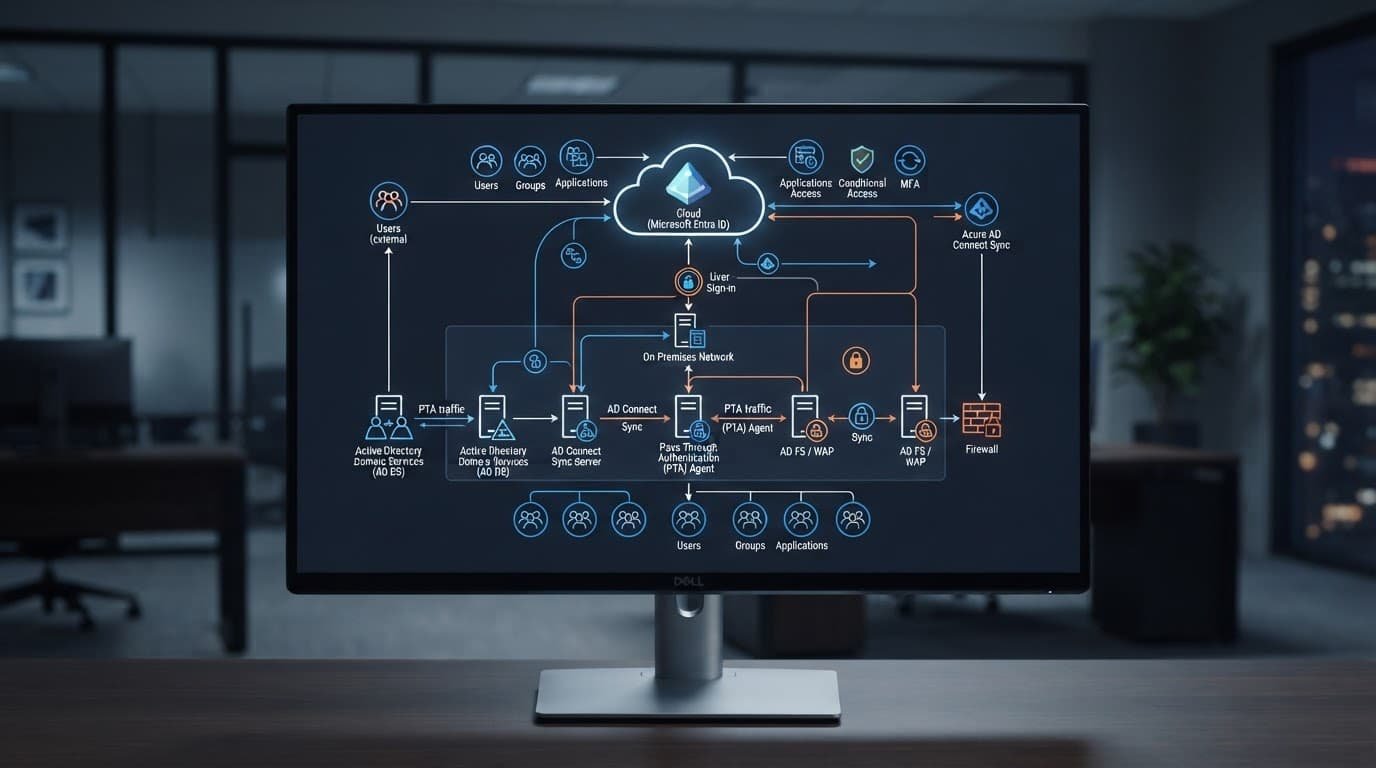
Also inspect AZUREADSSOACC if you use Microsoft Entra seamless SSO. Delegation must be disabled on this computer account, and no other AD account should receive delegation rights over it. Treat its Kerberos authentication decryption key as sensitive and rotate it at least every 30 days. Restrict management of the account and its OU to tightly controlled administrators.
Do not interpret cloud MFA or Conditional Access as a control over back-end Kerberos delegation. Those policies govern the Entra authentication phase. Once an application relies on an on-premises KCD path, the AD service account, SPNs, and delegation settings still need their own review.
Remediate With Narrow Changes and Tested Rollback
Rank remediation work by exposure. Remove unnecessary unconstrained delegation first, then stale KCD entries, broad protocol transition use, and unowned RBCD permissions. However, schedule every change through normal production change control.
For an account that no longer needs unconstrained delegation, administrators can execute PowerShell commands such as Set-ADAccountControl -Identity <account> -TrustedForDelegation $false. Validate the exact identity and application dependency before running it. A safer first action is to disable the application path in a test environment or during an approved maintenance window.
To remove obsolete classic KCD entries, use a targeted attribute update rather than clearing every entry blindly. If an account has no remaining legitimate targets, Set-ADUser -Identity <account> -Clear 'msDS-AllowedToDelegateTo' removes the list. Machine accounts can use the equivalent Set-ADComputer command. Back up the object’s current attributes and security descriptor before any change.
RBCD needs even more care. Clearing msDS-AllowedToActOnBehalfOfOtherIdentity removes all allowed delegators from the target object. If several applications depend on it, replace the descriptor with an approved, minimal set rather than clearing it. Re-test each front-end to back-end flow under a standard user account.
Keep two types of evidence after remediation: proof of the AD change and proof of application function. Capture before-and-after attributes, the approved ticket, service owner confirmation, and a rollback owner. This record prevents the same risky setting from reappearing during a later migration.
Monitor Delegation Changes and Ticket Activity
A Kerberos delegation audit should become a recurring control, not a one-time cleanup. Run the inventory after major application releases, server migrations, domain consolidation, and changes to Entra Application Proxy connectors.
Enable Advanced Audit Policy settings that produce useful evidence on every domain controller. Microsoft publishes System Audit Policy recommendations that can guide a baseline. At a minimum, collect Kerberos Service Ticket Operations, Directory Service Changes, and relevant account management events.
Event ID 4769 records every service ticket request. Review this data for unusual service tickets, unexpected client-to-service relationships, traffic to high-value SPNs, and indicators that might precede a golden ticket attack. Event ID 5136 can show changes to AD attributes, including delegation-related attributes, when Directory Service Changes auditing is enabled. Use event correlation to connect a delegation change with the account that made it.
Maintain a small approved-delegation register. It should list the source, target SPNs, delegation type, business owner, review date, and expiry date for every retained exception. Periodic account hygiene checks on each domain controller also help find stale identities before they retain inherited permissions, a practice covered in this Active Directory security checklist.
Frequently Asked Questions
What is the main security risk of unconstrained Kerberos delegation?
Unconstrained delegation allows a service or computer to store a user’s forwarded Ticket Granting Ticket. If an attacker compromises that host, they can use the captured ticket to access other network services as that user.
How does resource-based constrained delegation differ from classic constrained delegation?
Classic constrained delegation stores the allowed target SPNs on the front-end service account. Resource-based constrained delegation reverses this by storing the permitted delegators directly on the target object’s security descriptor.
Can Microsoft Entra Kerberos replace on-premises Kerberos delegation settings?
No, Microsoft Entra Kerberos supports cloud-assisted ticket issuance and modern hybrid identity flows, but it does not replace classic Kerberos delegation or resource-based constrained delegation for on-premises applications.
Final Thoughts
Kerberos delegation should be a narrowly scoped application permission, not a permanent convenience setting. The strongest audit combines attribute discovery, SPN validation, ACL review, and production-aware change testing.
In a hybrid environment, keep on-premises delegation separate from Microsoft Entra Kerberos capabilities. That separation makes risky trust paths easier to find, explain, and remove without breaking the services in Active Directory that still depend on them, ensuring your overall Kerberos delegation model remains secure.

