A virtual cluster can hide licensing risk better than poor performance ever will. In 2026, many SQL Server estates run across VMware and Hyper-V with live migration, shared storage, and mixed editions, yet the rules still come down to cores, mobility rights, and where a VM is allowed to run.
If you manage infrastructure or budget, the hard part isn’t basic math. It’s matching Microsoft’s current terms to how your cluster behaves on an ordinary Tuesday, during patching, and during failover. That starts with the licensing rules that still shape every design choice.
The rules that still drive SQL Server licensing in 2026
As of May 2026, Microsoft’s public guidance still centers on per-core licensing for most virtualized SQL Server deployments. If you license a physical server, you count the host’s physical cores. The published minimum is 4 core licenses per processor and 16 per server. That baseline still matters, even on smaller hosts.
If you license by virtual machine, you count the virtual cores assigned to the SQL Server VM. The published minimum is 4 cores per VM. So a 2-vCPU SQL VM still consumes 4 core licenses. That catches teams that right-size compute for performance but forget the licensing floor.
Microsoft’s current SQL Server Licensing Guidance also states an important limit: licensing by VM is available only with Software Assurance or subscription licenses. In other words, VM-level flexibility is not the default right for every license type. The same guidance also calls out edge cases where virtual cores are mapped to multiple hardware threads. If your VMware or Hyper-V design uses unusual CPU mappings or aggressive oversubscription, verify the exact wording before you buy.
Standard edition still has a place, and in some internal environments it can be licensed with Server+CAL. However, most VMware and Hyper-V estates choose per-core because user counting gets messy fast. Enterprise edition is per-core only, and it is the edition tied to high-density virtualization benefits when the current terms are met.
Published rights can change over time, so don’t stop at a reseller slide deck. Check the latest SQL licensing documents and the current Microsoft Product Terms before a renewal, true-up, or architecture change.
VMware and Hyper-V use the same SQL rules, but not the same operating pattern
Officially, SQL Server licensing is mostly hypervisor-neutral. Microsoft’s broader server virtualization guidance applies the same licensing concepts whether the VM runs on VMware or Hyper-V. SQL licenses don’t get cheaper because the host runs Windows, and they don’t get stricter because the host runs ESXi.
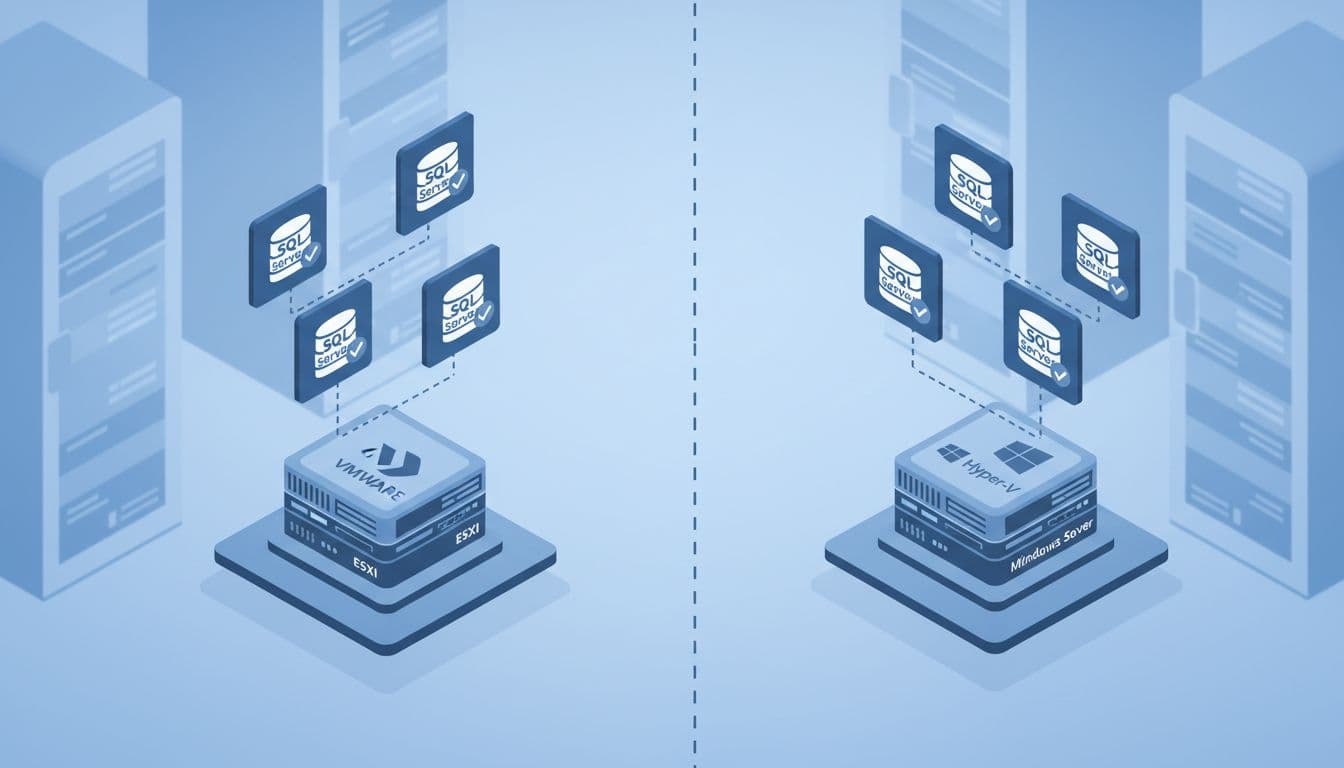
The planning differences show up elsewhere. VMware estates often use larger shared clusters, broad vMotion scopes, and mixed workload pools. Hyper-V estates often line up with Windows Server host planning, especially where Datacenter licensing already covers heavy VM density at the operating system layer. Those patterns don’t change SQL entitlements, but they do change which SQL licensing model is easier to keep compliant.
This quick comparison shows where the operational gap appears:
| Consideration | VMware | Hyper-V | Licensing effect |
|---|---|---|---|
| SQL Server rules | Same core-based rules | Same core-based rules | Hypervisor brand does not change SQL rights |
| VM movement | vMotion and DRS can widen placement | Live Migration can do the same | Wider placement often expands licensed scope |
| Host licensing context | Separate VMware stack | Windows Server licensing often planned at host level | Can influence SQL planning, not SQL entitlement |
| Segmentation tools | Host groups and affinity rules are common | Host groups and cluster rules are common | Useful for limiting where SQL VMs may run |
| Audit risk | Mixed clusters are common | Mixed clusters are also common | Documenting allowed placement matters more than platform choice |
The practical takeaway is simple. Hyper-V may already be licensed densely for Windows Server, but that does not cover SQL Server. Meanwhile, VMware clusters often need tighter host-group rules if you want a smaller SQL license footprint. If part of your estate extends into cloud-hosted VMware, Microsoft’s Azure VMware Solution licensing guidance is worth checking because cloud-specific terms can differ from on-prem assumptions.
Standard or Enterprise often decides the cheaper path
Edition choice shapes the licensing outcome before the hypervisor does. Microsoft’s SQL Server licensing resources still separate Standard and Enterprise in ways that matter for virtual estates.
Use this table as a planning shortcut:
| Topic | Standard | Enterprise | What it means in practice |
|---|---|---|---|
| Licensing models | Per-core, or Server+CAL in some internal cases | Per-core only | Virtualized estates usually land on per-core |
| VM-level licensing | Available when current SA or subscription terms are met | Available when current SA or subscription terms are met | Good for smaller VM counts |
| Unlimited virtualization | No | Yes, with SA or subscription and fully licensed eligible hosts | Dense clusters usually favor Enterprise |
| Scale ceiling | Lower | Higher | Low license cost does not always mean enough headroom |
| Typical fit | Stable, bounded workloads | Dense, mobile, business-critical workloads | Edition choice can outweigh hypervisor choice |
Standard is often the right answer for a few fixed VMs with modest growth. Enterprise starts to pay off when VM density rises, when VMs move across hosts, or when the business already needs Enterprise-only features. The mistake is treating Standard and Enterprise as a pure feature decision. In virtualized environments, they are also mobility and density decisions.
Host-level licensing versus licensing each VM
Most 2026 design discussions come down to two models. You either license the host by counting all physical cores on each server that may run SQL Server, or you license each VM by counting the virtual cores assigned to that SQL VM. Both models are valid under the current framework, but they behave very differently once clusters, failover, and growth enter the picture.
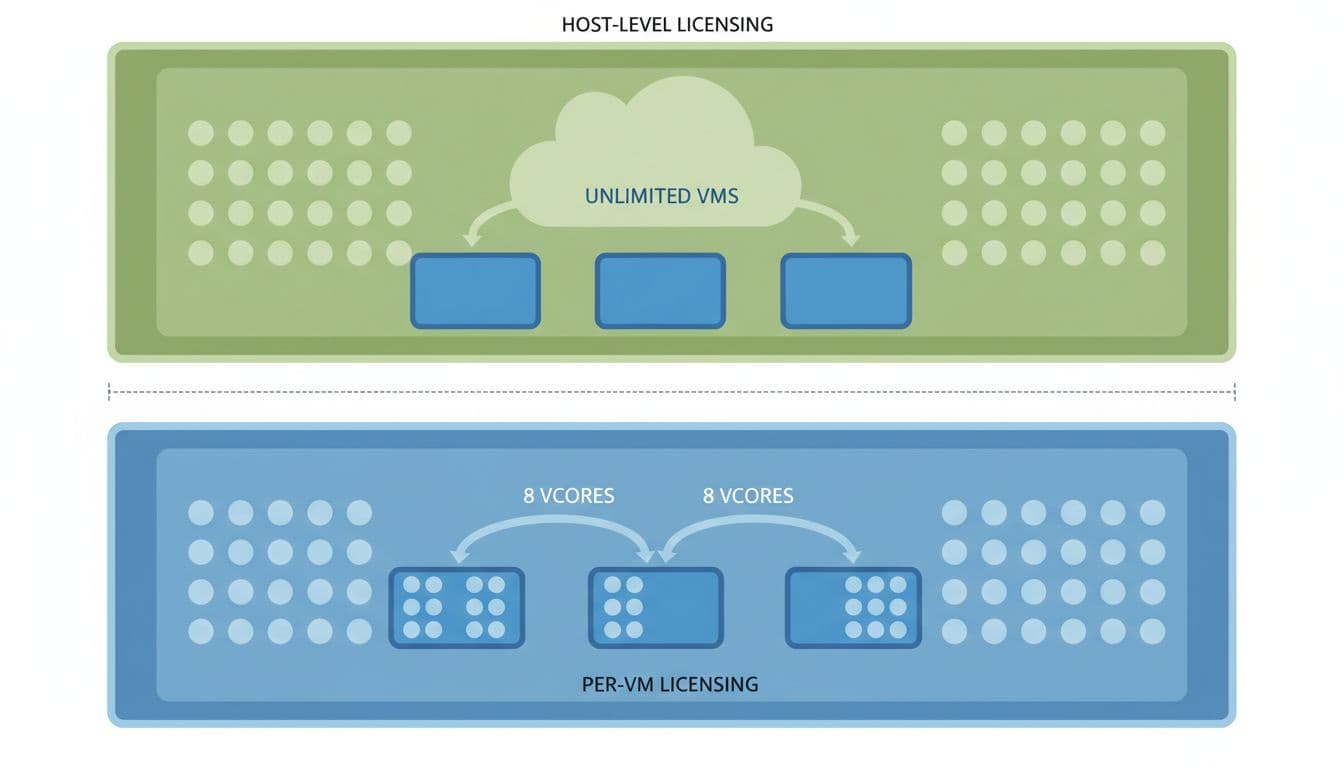
VM-level licensing looks attractive because it follows the workload, not the whole server. If you run a few well-scoped SQL VMs on large shared hosts, this can save a lot of money. However, Microsoft ties that flexibility to SA or subscription, and the 4-core minimum applies to every licensed VM.
Host-level licensing can look expensive at first because you buy for idle capacity too. Still, it becomes attractive when VM count is high, when live migration is broad, or when you want room to add more SQL VMs without revisiting the math every quarter. Under current Microsoft rules, unlimited virtualization is tied to Enterprise plus SA or subscription after you license all physical cores on each eligible host that may run those SQL workloads.
This side-by-side view helps:
| Factor | License the host | License each VM |
|---|---|---|
| What you count | All physical cores on each eligible host | Virtual cores assigned to each SQL VM |
| Minimums | 4 per processor, 16 per server | 4 per VM |
| SA or subscription | Needed for unlimited virtualization benefits | Needed under current VM licensing rules |
| Best fit | Dense clusters, broad mobility, growth | Smaller SQL footprint, stable placement |
| Main risk | Paying for unused host capacity | Under-licensing failover or movement scope |
| Enterprise upside | Can support unlimited SQL VMs on licensed hosts | Cost rises one VM at a time |
If a SQL VM can run on a host during normal operations, maintenance, or failover, that host belongs in the licensing design.
One more point matters in real environments. Licensing follows assigned cores, not average utilization. A VM that usually uses 15 percent CPU but is configured with 12 vCPUs is still licensed as a 12-core VM, subject to the current terms.
Worked examples with sample core counts and VM counts
The numbers become clearer when you run them against actual layouts.
Example 1: A small VMware host with three SQL Server Standard VMs
A company runs one dedicated VMware host for internal apps. The host has 24 physical cores. Three SQL Server Standard VMs sit on it, with 4, 4, and 8 vCPUs assigned.
- Count the VM cores first. The total is 16 virtual cores.
- Apply the minimum. Each VM already meets the 4-core floor, so the total stays 16.
- Compare that with host licensing. Licensing the whole host would require 24 physical core licenses.
- The cheaper model is VM-level licensing, assuming the company has SA or subscription rights and keeps those VMs inside the licensed placement boundary.
This is the classic case where VM-level licensing works well. The SQL footprint is small, and the host is larger than the workload. However, the savings disappear if those VMs can roam across two more hosts in the cluster. If DRS can move them there, the licensed scope may become much larger than the original 24-core box.
Example 2: A four-node Hyper-V cluster with heavy SQL Enterprise density
Now take a Hyper-V cluster with four hosts. Each host has 48 physical cores, so the cluster has 192 physical cores in total. The environment runs 24 SQL Server Enterprise VMs, each assigned 8 vCPUs, and Live Migration allows them to move across all four nodes.
- Count the VM cores. Twenty-four VMs times 8 vCPUs equals 192 virtual cores.
- Count the host cores. Four hosts times 48 physical cores also equals 192 cores.
- At this point, VM-level and host-level licensing start at the same core count.
- Because the estate is dense and mobile, full host licensing with Enterprise plus SA or subscription often wins. It gives room for more SQL VMs on those licensed hosts without buying more core licenses for every new VM.
The math is the interesting part here. At 24 VMs, both models start even. Add one more 8-vCPU SQL VM and VM-level licensing moves to 200 cores, while host-level stays at 192. In a growing cluster, the host model can become cheaper fast. It is also easier to explain in an audit because the licensed boundary is the host set, not a moving inventory of VMs.
Example 3: A two-host HA design with a passive failover VM
A business runs one 12-vCPU SQL Server Enterprise VM on VMware and keeps a second 12-vCPU VM ready for failover on another host. Each host has 20 physical cores. The second VM is meant to stay passive unless the primary fails.
- License the primary workload. By VM, the active SQL VM needs 12 core licenses.
- Review the secondary against current failover rights. If SA or subscription rights apply and the secondary remains truly passive, it may not require separate SQL licensing.
- Re-check the operational design. If that secondary becomes readable, runs reports, offloads backups beyond what current terms allow, or supports other active work, it may need its own 12 core licenses.
- Document the role and verify the Product Terms before you assume the failover VM is free.
This example is where many teams slip. “Passive” is not a label in the VM name. It is an operating state with licensing consequences. If the secondary does real work, treat it as licensable unless the current terms say otherwise.
Where teams overspend or fall out of compliance
The most common error is counting what the VM uses rather than what the VM is assigned. SQL Server licensing follows assigned virtual cores. A lightly used 8-vCPU SQL VM is still an 8-core licensing decision. The second common error is forgetting the 4-core minimum per VM, which turns tiny SQL appliances into bigger license counts than expected.
Placement control is the next big issue. If vMotion or Live Migration allows a SQL VM to land on any host in a broad cluster, your licensing model needs to reflect that. A sound best practice is to limit SQL workloads to dedicated host groups or clearly defined clusters. That does not change Microsoft’s rules. It makes the environment easier to license, easier to defend, and easier to audit.
Failover rights also trip up experienced teams. A passive secondary can reduce cost, but only when the current terms, edition, and SA or subscription status line up, and only while the node stays passive. A readable secondary or a server used for active reporting is a different story. Many audit findings start with an HA diagram that looked harmless.
There is also a simple cost-control lesson here. Separate Standard and Enterprise workloads when you can. Right-size vCPU allocations. Retire idle SQL VMs instead of leaving them licensed “just in case.” Buy SA where mobility or unlimited virtualization will save real money, not because it sounds safer. In small, stable estates, fixed placement and VM-level licensing can still beat a fully licensed cluster.
Conclusion
The tricky part of SQL Server licensing in 2026 is not VMware versus Hyper-V. It is whether your licensing model matches edition choice, VM mobility, and failover behavior.
For smaller, stable deployments, VM-level licensing often stays lean. For dense and fluid clusters, fully licensed Enterprise hosts often become cleaner and cheaper over time. The safest final step is always the same: match the design to the current Product Terms before you sign the order.

